Ooredoo Recharge Qatar: All Methods Explained
How to recharge an Ooredoo Hala prepaid number in Qatar through the app, the official website, Ooredoo Money, recharge cards and shops, with current limits, validity rules and troubleshooting.

Quick Answer
Recharge an Ooredoo Hala (prepaid) number in Qatar through the Ooredoo App, the official recharge page at selfcare.ooredoo.qa/recharge, the Ooredoo Money wallet, a recharge card or e-voucher, or a direct top-up at an authorized shop or Ooredoo self-service machine. Online credit top-ups run from QAR 10 to QAR 500. Shahry postpaid customers pay a bill instead, which is a separate service.
- Decide whether you need main credit or a pack (Super, Flexi or data).
- Open the Ooredoo App's Recharge section or the official recharge page.
- Enter the Hala number and check every digit.
- Choose the amount or pack and read its validity.
- Pay, keep the receipt and wait for the confirmation SMS.
On this page
- Ooredoo recharge methods at a glance
- Choose the right recharge before paying
- How to recharge using the Ooredoo App
- How to recharge online through the official website
- How to recharge through Ooredoo Money
- How to use recharge cards and e-vouchers
- Shops, self-service machines and bank channels
- Can you recharge another person's number?
- Recharge amounts, fees and validity
- How to check whether your recharge worked
- Recharge problems and what to do
- Which method should you choose?
You can do an Ooredoo recharge in Qatar in five main ways: the Ooredoo App, Ooredoo's official online recharge page, the Ooredoo Money wallet, a recharge card or e-voucher, or a direct top-up at an authorized shop or Ooredoo self-service machine. All of these are for Hala, Ooredoo's prepaid service. If you have a Shahry (postpaid) line, you pay a monthly bill instead, which is a different task with different rules; our Ooredoo bill payment guide covers it.
Before you pay, decide what you actually need: main credit (cash balance), or a bundle such as Hala Super, Flexi or a data recharge. They are not the same thing, and buying the wrong one is the most common reason people think a recharge "did not work".
QatarVia is an independent guide. We are not Ooredoo and cannot process, check or refund recharges. Details below were checked against Ooredoo Qatar's own pages and its prepaid tariff (version 195, effective 6 October 2026) on 10 October 2026.
Ooredoo recharge methods at a glance
| Method | What you need | Internet? | How you pay | Best for | Main limitation |
|---|---|---|---|---|---|
| Ooredoo App | Smartphone, Ooredoo account | Yes | Credit or debit card, Apple Pay, Google Pay, Ooredoo Money (by eligibility and device) | Regular users, packs, Easy Transfer, Auto-Recharge | Payment options depend on your device and number |
| Official recharge website | The Hala number, a payment card | Yes | Most local and international debit and credit cards, Apple Pay | Topping up without installing the app | QAR 10 to QAR 500 per transaction, QAR 500 per number per day |
| Ooredoo Money | A registered, funded wallet | Yes | Wallet balance | People who already keep money in the wallet | Wallet must be funded first; QAR 500 maximum per Hala top-up |
| Recharge card or e-voucher | A card or voucher code | Depends on the card | Cash or card at the seller | No bank card, no app, or recharging while abroad | Redemption steps differ by card type |
| Shop or self-service machine (direct top-up) | The Hala number | No | Depends on the shop or machine | Cash users, no smartphone | Accepted payment types are not the same everywhere |
Choose the right recharge before paying
Hala has two kinds of balance, and recharges feed them differently:
- Main credit (Hala credit): a cash balance in QAR. You spend it on calls, SMS and data at standard rates, or use it to buy packs. A credit recharge adds QAR to this balance.
- Hala Super recharges: bundles of local data, local minutes and (on some) international minutes, each with its own validity. The current tariff lists Super 15, 40, 50, 65, 75, 125 and 250. Super 50 and above also let you claim free "Passes" in the app or with
*100*13#. A Super recharge gives you allowances, not a main-credit amount. - Flexi Cards: add Flexi Points, which you can spend on local and international calls and SMS, local data and roaming. Points are separate from main credit, are non-transferable and, per Ooredoo's Help Centre, are not refundable.
- Data recharges: add local mobile data only, for a fixed number of days.
- Roaming: Hala roaming packs and Ooredoo Passport are separate products for use abroad. Super 250 is the only Super recharge in the current tariff that includes roaming data.
So if you buy a Super, Flexi or data recharge, your main credit will usually stay the same, even though the recharge worked. If you need cash balance (for example, to transfer credit or pay standard rates), buy a credit top-up instead. Ooredoo lists current packs and prices on its Hala prepaid plans page.
How to recharge using the Ooredoo App
Install the app only from the official store listings linked on Ooredoo's app page: App Store, Google Play or Huawei AppGallery.
- Open the app and sign in to your Ooredoo account.
- Go to the Recharge section.
- Choose the Hala number you want to recharge. Check every digit if it is not your own line.
- Pick a credit amount or a pack (Super, Flexi, data and so on).
- Before paying, read the price, the allowances and the validity shown for that product.
- Choose a payment method and complete the payment.
- Wait for the on-screen confirmation and the SMS on the recharged number. Keep the transaction reference.

Ooredoo's Help Centre says the app and web portal accept credit cards, debit cards, Apple Pay, Google Pay and Ooredoo Money for recharges, "depending on your account or number eligibility and device". Apple Pay only appears on iPhones and Google Pay only on Android, so do not expect every option on every phone.
The app also has Save Cards and Auto-Recharge. Ooredoo says you activate automatic payments from More, then Autopay/ Auto-Recharge, and that only your default saved card can be used for it. When it is on, the recharge screen shows an "Auto-recharge activated" tag. Your payment history, with references, is in the app's payment history section.
How to recharge online through the official website
Ooredoo's online recharge page is selfcare.ooredoo.qa/recharge. Ooredoo calls this its eTopUp service, and its eTopUp terms set the rules:
- It recharges Hala (prepaid) numbers. Shahry bills use the separate ePayment service.
- Whole-riyal amounts only, from QAR 10 to QAR 500 per transaction, and no more than QAR 500 per number per day.
- There is no surcharge.
- Most local and international debit and credit cards and Apple Pay are accepted, but the bank may reject cards it considers high risk.
- Card payments appear on your statement as Q-Tel E-Com. The payment gateway is run by QNB, and Ooredoo says it has no access to your card details.
- Open the official recharge page. Type the address yourself or use the link from ooredoo.qa, because look-alike domains exist.
- Enter the Hala number you want to recharge. This is the recipient's number, which is not the same as signing in to your own Ooredoo account.
- Choose a credit amount or a pack, and check its validity.
- Pay, then wait for the receipt page. It shows the transaction details and a transaction number.
- Save or screenshot the receipt. Ooredoo's terms say complaints without receipt evidence may not be accepted.
Whether you are asked to sign in or enter a one-time code can depend on the route you take on the page. Follow what the page asks, and never share a one-time code with anyone who contacts you.
How to recharge through Ooredoo Money
Ooredoo Money is Ooredoo's mobile wallet. Using it for a Hala recharge is a two-step process: first you put money into the wallet, then you spend wallet money on the recharge. This section covers recharges only; if you want to send money abroad, compare the options in our guide to sending money from Qatar.
Step 1: Register and fund the wallet
According to Ooredoo Money's website, you register in the app with your QID and a valid mobile number, then scan the QID and record a selfie video. If you are not sure your QID is still valid, check your Qatar ID status before you start. Its terms (updated 9 February 2026) require you to be at least 18. If you use an existing Ooredoo SIM, Ooredoo's Help Centre says it must be registered under your own name and QID.
You do not need a QNB account. Ooredoo Money lists these ways to add money:
- A debit card from any bank, inside the app (the fee guide lists a QAR 3 convenience fee for this).
- A bank transfer from any bank in Qatar to your wallet's own IBAN.
- QNB customers can also use QNB's EazyPay service.
- Cash at an Ooredoo shop or Ooredoo self-service machine.
- Apple Pay on iPhone, but Ooredoo Money says this works with debit cards only.
Note that the debit-card-only rule applies to topping up the wallet with Apple Pay. It is separate from paying for a recharge with Apple Pay in the main Ooredoo App, which the Ooredoo App page says works with local or international cards.
Step 2: Use wallet money for a Hala recharge
- Open the Ooredoo Money app (official links: App Store, Google Play).
- Choose the option to recharge an Ooredoo prepaid (Hala) number or buy a data pack.
- Enter the Hala number and choose the credit amount or pack.
- Check the number and amount carefully, then confirm.
The Ooredoo Money fee guide lists Hala top-up as free, with a maximum of QAR 500 per Hala top-up transaction. Other wallet charges, such as the debit-card cash-in fee and the annual maintenance fee the guide lists, are separate, so check the guide before relying on the wallet. Ooredoo Money's terms say it is not obliged to reverse a transaction made in error by the user, such as a wrong number.
How to use recharge cards and e-vouchers
Ooredoo's tariff sells Hala credit as cards and e-vouchers of QAR 10, 20, 30, 40, 50, 60, 65, 100 and 200. Data recharge cards are sold at Ooredoo shops, other retailers ("mass markets") and in the Ooredoo App, and Flexi comes as Flexi Cards. Buy cards from Ooredoo shops or established retailers, and be wary of resale offers online.
- Check what the card is for: main credit, data, Flexi or another product. The product name and value are printed on it.
- Scratch or reveal the code, or open the e-voucher you received.
- Follow the redemption instructions printed on that card or voucher, using the phone with the SIM you want to recharge.
- Wait for the confirmation message, then check the balance or allowance.
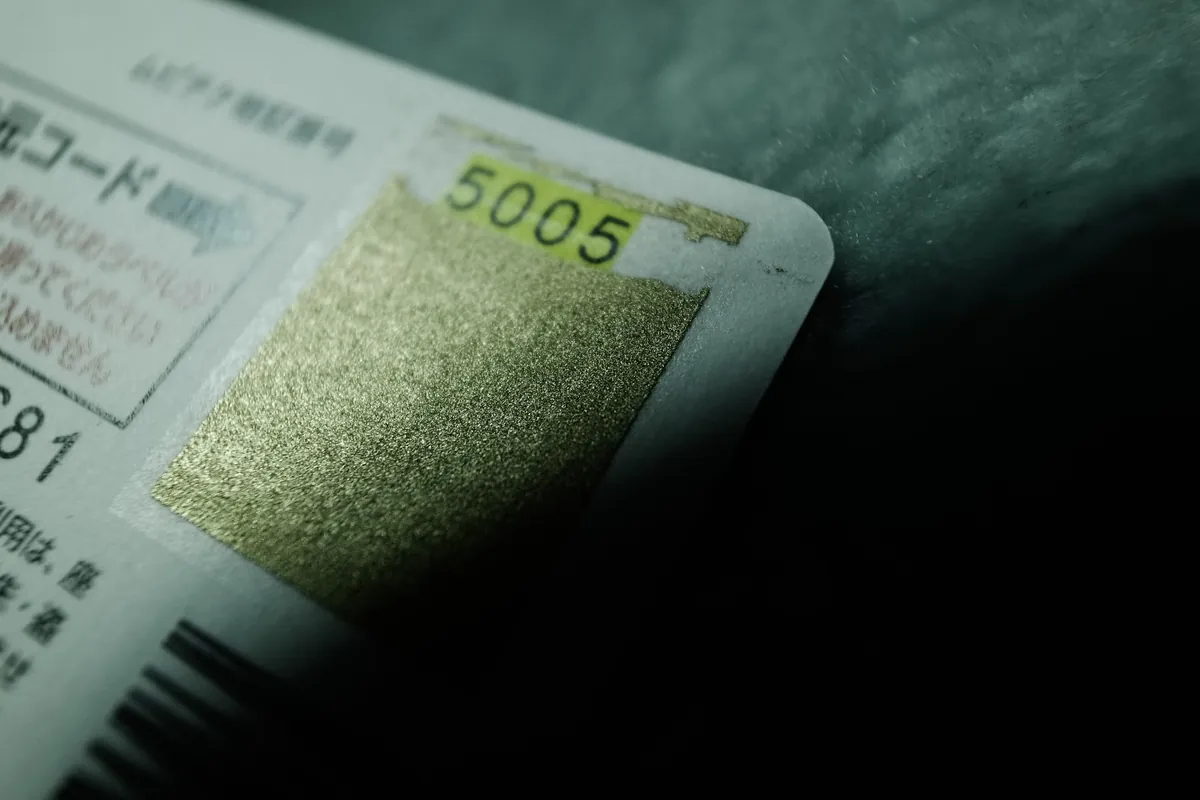
About recharge codes: Ooredoo's tariff says data scratch cards are redeemed by entering the card's code "via SMS or USSD", and its prepaid page says the app lets you recharge a Hala line with a voucher code. Ooredoo does not currently publish a single dialing code for all cards on the pages we checked, and other websites quote several conflicting codes. Use the instructions on your own card. If they are unclear, ask the seller or Ooredoo before trying several codes.
Shops, self-service machines and bank channels
- Retail direct top-up: Ooredoo's tariff refers to retailer "eTop" direct top-ups, and the Help Centre says Hala lines can be recharged at any authorized store. You give the number and amount, and the credit is sent electronically. Read the number back to the seller before paying.
- Ooredoo self-service machines (SSM): the tariff lists SSM direct top-up for any amount from QAR 10 to QAR 500. Ooredoo Money's FAQ describes cash deposits at these machines; the payment types accepted for a top-up can vary, so follow the screen.
- Internet banking and bank apps: Ooredoo's tariff lists internet banking for direct top-up and bank apps as a digital channel. Which banks offer this, and how, is up to each bank, so check your own bank's app.
Can you recharge another person's number?
Yes, but there are three different things people mean by it:
- Buy a recharge for their number: enter their Hala number on the official recharge page, in the app, in Ooredoo Money or at a shop, and pay yourself. Ooredoo's Auto-Recharge can also cover several numbers.
- Easy Transfer (Ooredoo App): send a product as a gift. Ooredoo's Easy Transfer page says Hala customers can send credit, Hala recharges, data recharges, Flexi, Hala Smart Cards, Dawli and Ooredoo Passport, and Shahry customers can send Dawli, Passport and data recharge cards. Each transfer costs QAR 1. The eTopUp terms add that paying with Easy Transfer from one Hala line to another does not extend line validity.
- Credit transfer (your existing credit): dial
*130*RecipientNumber*Amount#and follow the prompts, as given in Ooredoo's Help Centre. The tariff allows QAR 10 to QAR 1,000 per transfer and charges QAR 1 each time. Validity does not transfer, and bonus credit, extra credit from Ooredoo Money top-ups and Fast Credit cannot be transferred.
Confirm the recipient's number before paying. A recharge sent to the wrong number may not be recoverable, and none of the Ooredoo terms we checked promise a reversal.
Recharge amounts, fees and validity
These are the current rules for main-credit top-ups from Ooredoo's prepaid tariff (version 195, effective 6 October 2026):
| Credit top-up | Validity |
|---|---|
| Cards and e-vouchers: QAR 10, 20, 30, 40, 50, 60 or 65 | 30 days |
| Cards and e-vouchers: QAR 100 or 200 | 90 days |
| Direct top-up (SSM or internet banking): QAR 10 to 99 | 30 days |
| Direct top-up (SSM or internet banking): QAR 100 to 500 | 90 days |
Keep these validity types apart:
- Credit and line validity: how long your number stays active for outgoing use. Ooredoo says all Hala recharges give active line validity, but add-on packs do not. A smaller top-up does not cut short a longer validity you already have.
- Bundle allowance validity: each Super, Flexi or data recharge has its own expiry (Flexi Cards, for example, range from 3 to 28 days by value). Check it on the product before paying.
- Carry over: unused allowances can roll into your next recharge only if you recharge in the same category before the current one expires. It does not apply to Super 15, Passes or promotional bonuses.
- Digital bonus: the tariff gives a 15% allowance bonus on Super, Flexi or data recharges of QAR 65 and above bought through digital channels. The tariff's footnotes name the Ooredoo App, Ooredoo Money app and Ooredoo website; its general rule also lists bank apps. This bonus is used first and is not carried over.
- Grace period: if validity runs out, the tariff gives 179 days of incoming-only service. Remaining credit and allowances are removed at the start of it and are not refunded. A top-up of QAR 10 or more brings the line back. After the grace period comes a 1-day suspension, then the number is terminated and lost permanently.
How to check whether your recharge worked
After a website recharge, Ooredoo says an SMS with the amount and your updated balance is sent to the recharged number. For main credit, dial *129# or open the Ooredoo App. For data and pack allowances, follow our guide to check your Ooredoo data and credit balance.
Using a dual-SIM phone? Make sure you recharged and are checking the Ooredoo line, not your other SIM. If that one is on Vodafone, see how to check a Vodafone Qatar balance.
Recharge problems and what to do
| Problem | What to check | Next step |
|---|---|---|
| Payment deducted, recharge missing | Receipt page or transaction number, card statement (Q-Tel E-Com), app payment history | Do not pay again while it shows as pending. For the card payment itself, Ooredoo's terms say contact your card issuer. For the line, contact Ooredoo with your receipt. |
| Recharge successful, main credit unchanged | Did you buy a Super, Flexi or data recharge? Did you have Fast Credit? | Check allowances with the Ooredoo balance guide. Fast Credit (up to QAR 100) plus a fee of QAR 1 to QAR 20 is deducted from your next recharge. |
| Voucher rejected or already used | Card type, digits typed, instructions on the card | Keep the card and purchase receipt, and contact the seller or Ooredoo. Do not keep retrying different codes. |
| Wrong recipient number | The number on your receipt | Contact Ooredoo (or Ooredoo Money, if paid from the wallet) quickly with the receipt. A reversal is not guaranteed. |
| One-time code not arriving | Signal, correct number, SMS inbox not full | Wait before requesting another code. Never share the code with anyone. |
| Payment declined | Card limits, online payments enabled, Apple Pay or Google Pay set up | Ask your bank. Some cards the bank deems high risk are not accepted. |
| App not updating | SMS confirmation, *129# | Update or restart the app before assuming the recharge failed. |
| Line expired or restricted | Whether the line is in its grace period | Top up QAR 10 or more to reactivate. Credit already removed is not refunded. |
Who to contact:
- Ooredoo Qatar (line, recharges, account): Customer Care on 8008000, free, per the eTopUp terms. Ooredoo Money's terms also name its 24/7 call center on 111.
- Ooredoo Money (wallet payments): for a failed recharge or payment from the wallet, Ooredoo's Help Centre says call 111, email customer.service@ooredoo.qa or WhatsApp 44141111. Ooredoo Money's terms say disputes must be reported within three months of the transaction.
- Your bank: for card charges, reversals and declines.
Which method should you choose?
- You already use the Ooredoo App: recharge there, and consider Auto-Recharge.
- You keep money in Ooredoo Money: use the wallet; Hala top-up is listed as free.
- You pay in cash: an authorized shop, an Ooredoo self-service machine or a recharge card.
- You do not want the app: the official recharge website with a card or Apple Pay.
- You are recharging family: buy a recharge for their number online, or use Easy Transfer or credit transfer from your own line.
- You have no internet: a recharge card, a shop top-up, or ask someone to send credit to you.
For more help with your phone and connection in Qatar, browse our Qatar mobile and internet guides.
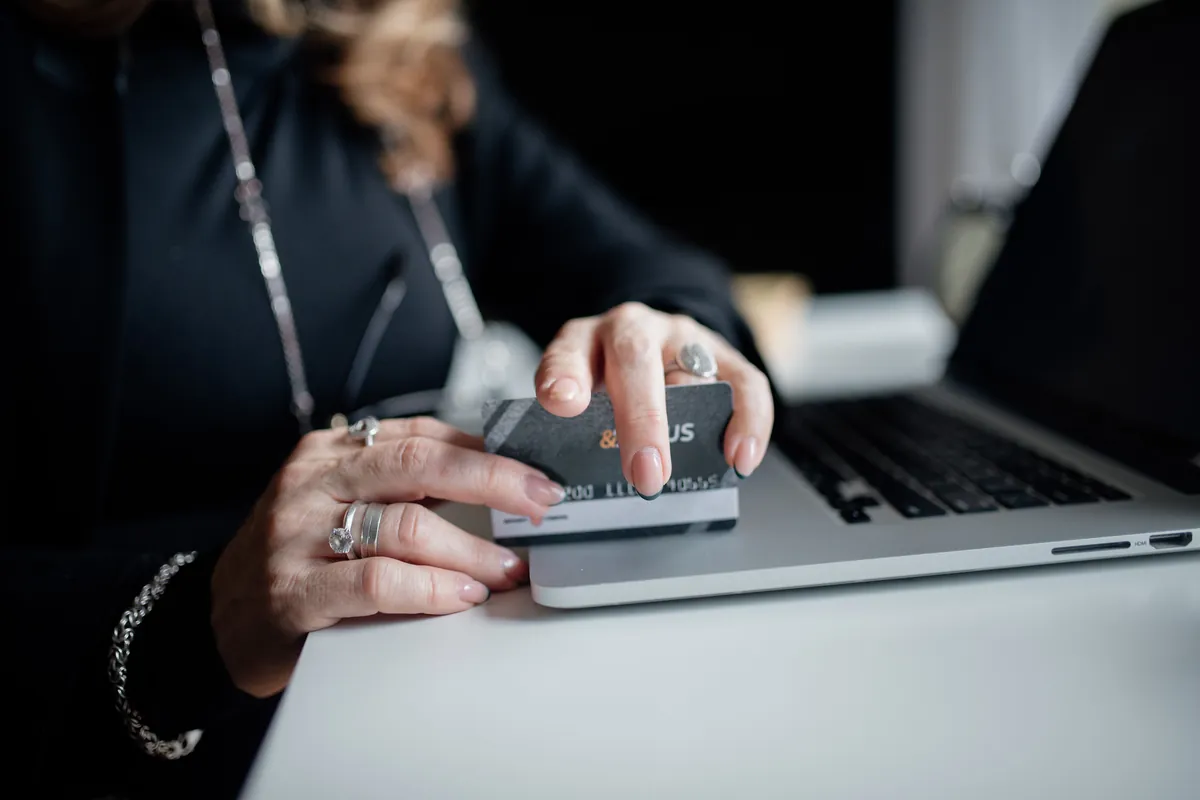
Recharge methods, limits, fees and validity were checked against Ooredoo Qatar's and Ooredoo Money's public pages and Ooredoo prepaid tariff C11-01 version 195 on 10 October 2026. Prices, packs and promotions change often, so confirm the details shown at payment. QatarVia is independent and is not affiliated with Ooredoo or Ooredoo Money. Feature image: illustrative online-payment photo by Mikhail Nilov on Pexels, used under the Pexels License, cropped and resized. It is not a screenshot of the Ooredoo App. Inline photos are from Flickr under the licenses shown in each caption and have been cropped and resized.
Sources
- Ooredoo Qatar: Online recharge (opens in a new tab)Official Hala recharge page. Checked 10 October 2026.
- Ooredoo Qatar: eTopUp and ePayment terms (opens in a new tab)QAR 10 to QAR 500 limits, accepted cards, receipts, SMS confirmation and support contact. Checked 10 October 2026.
- Ooredoo Qatar: Prepaid tariff C11-01, version 195 (opens in a new tab)Credit validity, card and direct top-up denominations, Super, Flexi, data, carry over, credit transfer, Fast Credit and grace period. Effective 6 October 2026.
- Ooredoo Qatar: Hala prepaid plans (opens in a new tab)Current packs, line validity notes and grace period. Checked 10 October 2026.
- Ooredoo Qatar: Ooredoo App (opens in a new tab)Apple Pay and Google Pay in the app and official store links. Checked 10 October 2026.
- Ooredoo Qatar: Easy Transfer (opens in a new tab)Products that can be sent and the QAR 1 fee. Checked 10 October 2026.
- Ooredoo Qatar: Help Centre (opens in a new tab)Payment methods, Auto-Recharge, credit balance, credit transfer code and Ooredoo Money support FAQs. Checked 10 October 2026.
- Ooredoo Money: Home (opens in a new tab)Registration, cash-in options, Apple Pay rule and Hala recharge. Checked 10 October 2026.
- Ooredoo Money: Fee guide (opens in a new tab)Free Hala top-up, QAR 500 limit and cash-in fees. Checked 10 October 2026.
- Ooredoo Money: Terms and conditions (opens in a new tab)Eligibility, user-error transactions, disputes and call center. Updated 9 February 2026.
Frequently Asked Questions
How can I recharge Ooredoo Qatar online?
Use the Ooredoo App or the official recharge page at selfcare.ooredoo.qa/recharge. Enter the Hala number, choose an amount or pack, and pay by card, Apple Pay, Google Pay or Ooredoo Money, depending on your device and eligibility.
Can I recharge without the Ooredoo App?
Yes. Use the official recharge website, a recharge card or e-voucher, an authorized shop, an Ooredoo self-service machine, or Ooredoo Money.
How do I use an Ooredoo recharge card?
Check what the card is for, reveal the code and follow the redemption instructions printed on it. Ooredoo does not publish one code for all card types, so do not rely on codes copied from other websites.
Can I use Ooredoo Money for a Hala recharge?
Yes. Fund the wallet first, then recharge a Hala number or buy a data pack. The fee guide lists Hala top-up as free, up to QAR 500 per transaction.
Do I need a QNB account?
No. You can fund Ooredoo Money with a debit card from any bank, a transfer from any Qatar bank, or cash. QNB's EazyPay is just one more option for QNB customers.
What is the minimum recharge amount?
For credit top-ups on the website and by direct top-up, QAR 10. The smallest credit card or e-voucher is also QAR 10. Packs have their own prices.
Why did my recharge not increase my main credit?
Usually because you bought a Super, Flexi or data recharge, which adds allowances instead of cash credit. Fast Credit taken earlier is also deducted, with its fee, from your next recharge.
How long does my recharge remain valid?
Credit top-ups under QAR 100 give 30 days and QAR 100 or more give 90 days. Packs have their own allowance validity, shown before you buy.
What should I do if payment was deducted but the recharge is missing?
Do not pay again. Keep the receipt and transaction number, contact your card issuer about the payment and Ooredoo about the line. For wallet payments, contact Ooredoo Money.
Published by
QatarViaQatarVia is a personal informational website owned and published by Baber Ali. Guides explain official processes and everyday life in Qatar in plain language and list the sources they rely on.
How guides are sourced and updated →Related guides

Ooredoo Postpaid Plans in Qatar 2026: Prices, Data & Best Plans Compared
Compare current Ooredoo Shahry+ and Qatarna+ postpaid plans in Qatar: regular and introductory prices, full-speed data and slowdowns, intern

Ooredoo Shops & Branches in Qatar: Locations and Timings
Where the Ooredoo Al Sadd, Villaggio, Doha Festival City, Mall of Qatar and LuLu outlets are, what each source says about their hours, how s

Ooredoo Money Qatar: Register, Send Money & Check the Rate in the App
How to register Ooredoo Money in Qatar with eKYC, fund the wallet, send money abroad and check the real exchange rate and fee in the app, wi
How to Check Your Ooredoo or Vodafone Number in Qatar
How to find your own Ooredoo or Vodafone Qatar mobile number using an existing account, the My Vodafone app, iPhone and Android settings, SI