
How to Check Your Ooredoo or Vodafone Number in Qatar
How to find your own Ooredoo or Vodafone Qatar mobile number using an existing account, the My Vodafone app, iPhone and Android settings, SIM records, a test call or official support, and why *129# is a balance code rather than a documented number check.

Quick Answer
Neither Ooredoo nor Vodafone documents a USSD code that shows your own number: both document *129# for balance details. Find your number in an operator account you can already open (the My Vodafone app shows "Welcome (Your Number)"), in your phone's SIM settings, on your SIM pack, activation message or bill, by calling a trusted phone, or through 111.
- Open an Ooredoo or Vodafone account that is already signed in and check the line list.
- Check your phone's SIM or line settings for a number field.
- Look for a labeled mobile number on your SIM pack, activation message or bill.
- Call or text a trusted phone from the correct SIM.
- If all else fails, contact your operator on 111.
On this page
- Methods at a glance
- How to check your Ooredoo number
- How to check your Vodafone Qatar number
- Find your number on an iPhone
- Find your number on Android
- Dual SIM and eSIM phones
- SIM packs, activation messages and bills
- Call or text a trusted phone
- No balance, no signal or an inactive SIM
- Does the number prefix tell you the operator?
- Official support
- Troubleshooting
The most reliable way to check your Ooredoo number in Qatar is to look at an account you are already signed in to, your phone's SIM settings, or your SIM pack and activation messages. If none of those work, call or text a trusted phone, or contact Ooredoo. Vodafone Qatar customers can also see their number in the My Vodafone app, where Vodafone says it appears as "Welcome (Your Number)".
One point matters before you start: neither operator documents a USSD code whose job is to show your own number. Ooredoo and Vodafone both document *129#, but as a balance code. Many websites say *129# displays your number on any Ooredoo line. We could not find that in any Ooredoo source, so this guide does not treat it as a number-check code.
QatarVia is independent and not affiliated with Ooredoo or Vodafone. We checked official operator, CRA, Apple and Google pages on 16 October 2026 and report what they say; we did not test these methods on a live line.
Methods at a glance
| Method | Ooredoo | Vodafone | Internet needed? | What you need | Limitation |
|---|---|---|---|---|---|
| Operator app or self-care account | Yes. Ooredoo's own FAQ describes choosing your service number in My Ooredoo. | Yes. Vodafone says the app menu shows "Welcome (Your Number)". | Yes | An account you can already open | Little help if signing in needs the number you have forgotten |
| Phone settings | Sometimes | Sometimes | No | The phone with the SIM or eSIM inside | The field can be blank, show "Unknown" or show old information |
| SIM pack, activation SMS or email, bill or contract | Yes | Yes | No | Your own records | Many long numbers on a SIM pack are not the phone number |
| Call or text a trusted phone | Yes | Yes | No | A friend or family member nearby, and a working line | Needs network, may cost credit, and hidden caller ID blocks it |
USSD *129# | Documented for balance only | Documented for plan and balance details only | No, but needs network | An active SIM with signal | Not documented as a number check |
| Official support | Yes | Yes | No | Whatever ID check the agent asks for | Takes longer, and the operator decides what it can disclose |
Finding your number and checking your allowance are separate jobs. If you mainly want credit or data figures, use our guides to check your Ooredoo data and credit balance or check your Vodafone Qatar balance.
How to check your Ooredoo number
What *129# actually does on Ooredoo
Ooredoo's help center lists *129# twice. To check your Hala credit balance, it says you can "login to the Ooredoo App or dial *129#". For data, it says to "dial *129# to receive an SMS notification with your data balance". For Shahry postpaid usage, the FAQ points to the app or the monthly bill instead.
None of these answers says the reply contains your mobile number. So the honest position is:
*129#is a documented Hala balance code, not a documented own-number code.- We found no Ooredoo source confirming that it shows the number on postpaid lines.
- If a reply on your phone does include your number, treat it as useful but confirm it with one of the methods below before giving it to anyone.
Look in an Ooredoo account you can already open
If the Ooredoo App or My Ooredoo on selfcare.ooredoo.qa is already signed in on any device, open it and look at the line or service list. Ooredoo's own data-balance FAQ tells website users to "click on the service number you would like to check", so the account shows service numbers. Its eSIM page also describes picking "the physical number you want to convert" under Services, SIM Management, so numbers on the account are listed there too.
If several numbers appear, match the right one to the SIM in your hand. Other lines on the same account are not proof of which SIM is in this phone.
The login catch: if the app or website asks you to type your mobile number to receive a verification code, it cannot help you find that number in the first place. Skip to phone settings, your SIM records or a test call instead.
Check your SIM pack and activation records
Look for the activation SMS, the eSIM email (Ooredoo sends the eSIM QR code by email), your Shahry contract or a recent bill. These usually label the line as the mobile or service number. See the section on SIM packs and bills for what to ignore.
If nothing else works, contact Ooredoo through the routes in Official support.
How to check your Vodafone Qatar number
What *129# and *100# do on Vodafone
Vodafone's balance FAQ says *129# sends an SMS with the "current plan you are on, balance details of call minutes, data, SMS, roaming minutes & etc if applicable". It also says you can "dial *100# for the Vodafone main menu" to get account information.
Vodafone says *100# is free, needs no internet connection, works for "Any active Vodafone customer" (prepaid, postpaid or enterprise) and can be used abroad at no extra charge. Its documented menu covers My Account, My Settings, Standard Rates, Activate Products, Bonuses and Extras, Account Usage and Remaining Balance. None of these is described as showing your own number. Sharing the digits *129# with Ooredoo tells you nothing about what either operator's reply contains.
Use the My Vodafone app
This is the one own-number method an operator documents in plain words. In its app troubleshooting help, Vodafone says: "To check the number, go to menu and the number will be displayed as the 'Welcome (Your Number)'."
Two caveats from the same page. The app shows the line it was registered with, and Vodafone asks you to check you are "using the same SIM (Number) as you registered". And it works on Wi-Fi only up to 5 times or 1 week before asking you to re-authenticate over the Vodafone mobile network, so the SIM needs signal and mobile data.
Vodafone's Instant SIM is activated by scanning the QR code on the SIM pack, so keep the pack and any confirmation SMS. Support routes are listed under Official support.
Find your number on an iPhone
- Open Settings and tap Cellular (Mobile Service or Mobile Data in some regions). Apple's user guide says each line is listed here under SIMs. Tap a line to see its details.
- Also check the My Number field in Phone settings: Settings > Apps > Phone on iOS 18 and later, or Settings > Phone on earlier versions. Apple's current user guide does not document this field, so treat what it shows as a hint, not proof.
Keep three things separate:
- Line labels such as "Primary" or "Ooredoo" are names you or the phone chose. Apple says you can change the Cellular Plan Label, so a label is not the number.
- Messages and FaceTime addresses under Send & Receive come from your Apple Account and can include email addresses or another number.
- Your Apple Account trusted number can be any phone number you added, not necessarily this SIM.
Do not type a number into My Number or your contact card to "fix" a blank field. That only stores what you typed. It does not tell you what number the network assigned.
Find your number on Android
Menus differ by manufacturer and Android version. Common places are:
- Settings > About phone. Many phones list a phone number for each SIM slot here.
- Samsung Galaxy: Settings > About phone, then Status information > SIM card status if the number is not on the first screen.
- Google Pixel: Settings > About phone. Google's help confirms that SIM status sits under About phone (it uses it to show the EID). SIM details are also under Network & internet > SIMs.
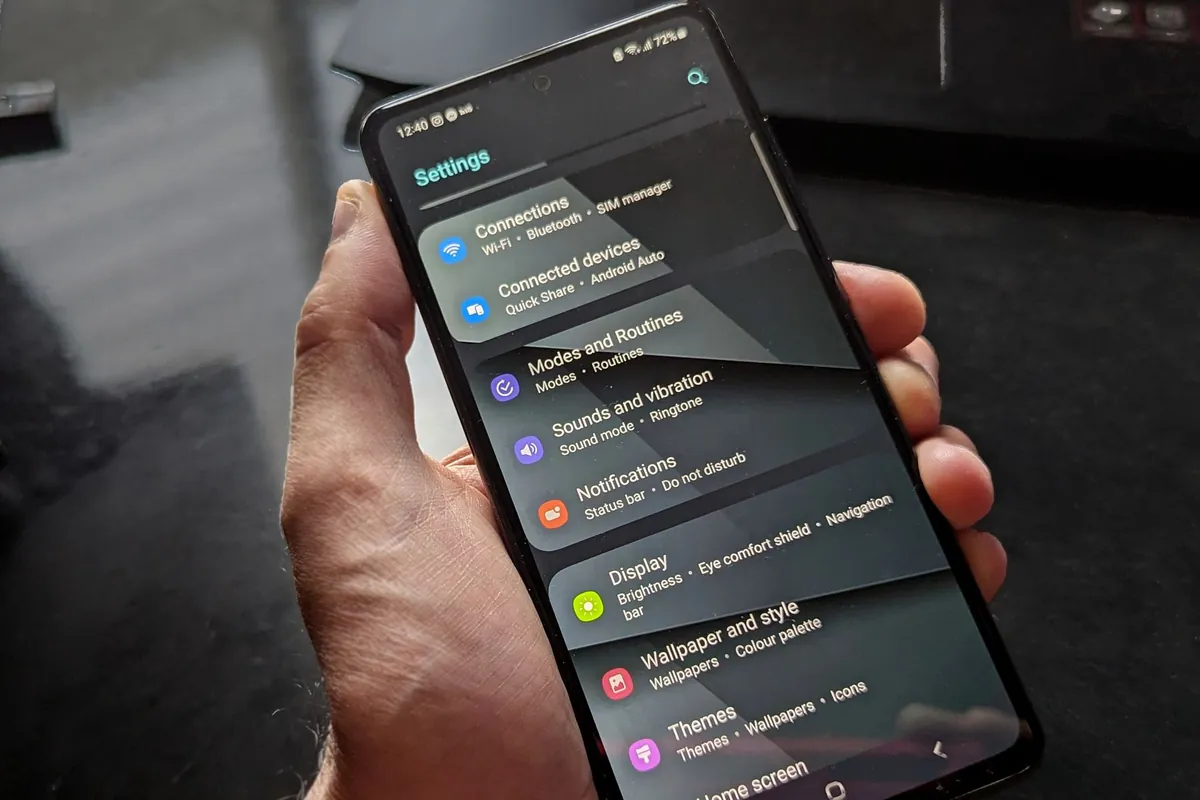
If the field says Unknown or is empty, the phone simply has not been given the number by the SIM or network. It does not mean the line is broken. Move on to your account, records or a test call. There is no need to reset network settings, delete an eSIM or factory reset the phone to find a number, and deleting an eSIM can mean asking the operator for a new one.
Dual SIM and eSIM phones
- Check each active line separately. On a dual SIM phone, each line has its own entry in settings and its own number.
- Pick the line before dialing. Apple's guide covers choosing a Default Voice Line, and Android phones let you choose a SIM for calls. A USSD code or test call goes out on whichever line you select.
- Match the app to the line. An operator app may be signed in to a different line from the one you are testing.
- Some lines have no voice number you can use. Vodafone says its Multi SIMs are for local data only: "you can only use local Data on Multi SIM". Ooredoo sells Data SIM+ as a data plan, and many travel eSIMs are data-only. A test call will not work on these.
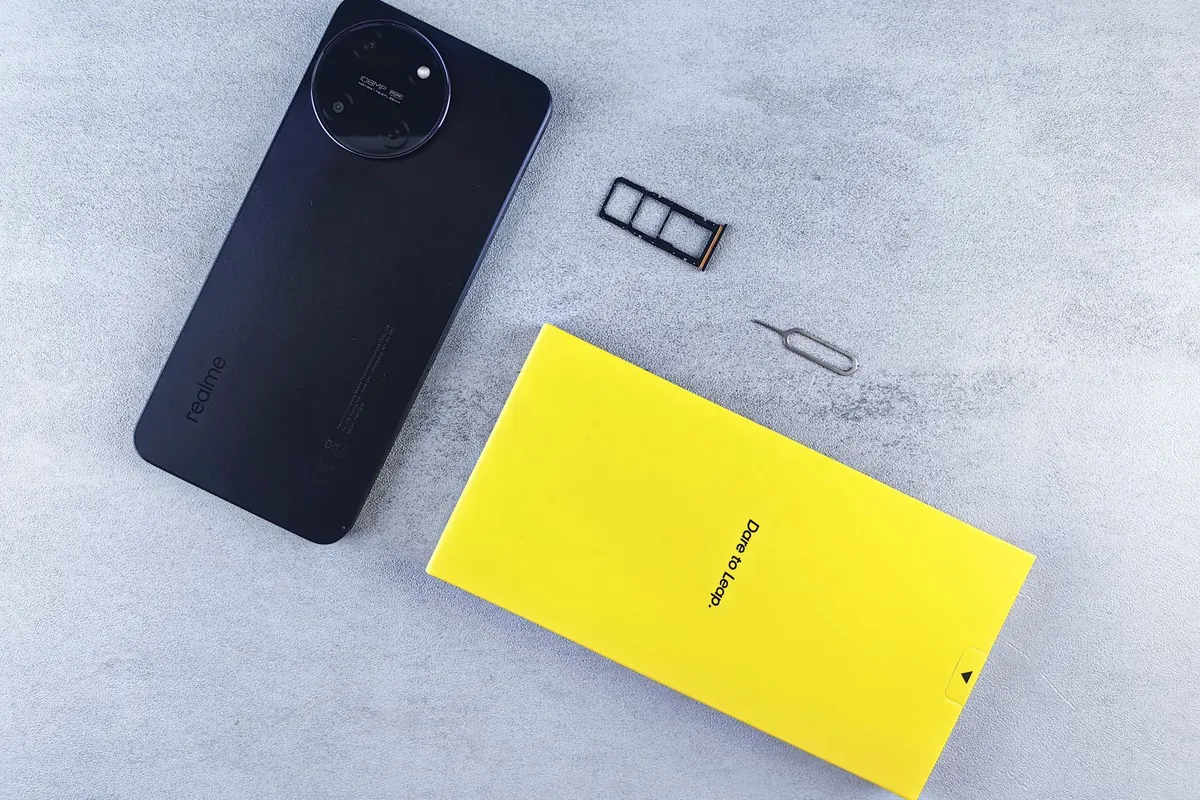
EID, ICCID and IMEI are not your phone number. Apple lists the EID, IMEI and ICCID under Settings > General > About. The IMEI identifies the phone, the EID identifies the eSIM chip, and the ICCID is the SIM's serial number. None of them is the number people dial to reach you.
SIM packs, activation messages and bills
A SIM pack can carry several long numbers. Look for one that is explicitly labeled as the mobile number, MSISDN or service number. Ignore the long serial or ICCID (often 19 or 20 digits), PIN and PUK codes, and barcodes.
Qatar mobile numbers are 8 digits, written as +974 XXXX XXXX with the country code. Other useful records are your activation SMS or email, a Shahry or Vodafone postpaid bill, your contract, or a recharge receipt for the line. To view a current Shahry bill online, see our Ooredoo bill payment guide.
Old paperwork has a limit. If a line was canceled, ported or replaced, the number on an old document may no longer be yours or may now belong to someone else.
Call or text a trusted phone
- Ask a friend or family member who is with you.
- On a dual SIM phone, choose the line you want to identify.
- Call or text their phone and ask them to read out the number that appears.

This needs signal and a line that can make calls or send SMS. It may use credit or plan minutes, and if caller ID is hidden on your line the number will not show. Do not use emergency numbers or call strangers to do this.
No balance, no signal or an inactive SIM
- No mobile data: USSD, phone settings, records and calls still work. Apps need Wi-Fi, and My Vodafone eventually needs the Vodafone mobile network.
- No airtime: Vodafone says
*100#is free. Ooredoo does not state a charge for*129#in the FAQs we checked. Outgoing test calls or texts may not go through. - No signal, airplane mode, or an inactive or suspended line: USSD and calls need the network. Use settings, your records or the operator.
- Roaming: Vodafone says
*100#works abroad without extra charge. We found no equivalent statement for Ooredoo's*129#, so do not count on it outside Qatar. - Data-only SIM: it may never have a callable number to find.
Does the number prefix tell you the operator?
No. Qatar has had mobile number portability since 2012. The Communications Regulatory Authority says it lets people "retain their existing mobile numbers when switching to a different service provider". The first digits show where a number was first issued, not who serves it now. Check your SIM, account or bill instead.
Official support
- Ooredoo: 111 from an Ooredoo line, +974 44200700 from other operators, 44380000 from overseas, obot on WhatsApp at 44141111, or an Ooredoo shop.
- Vodafone: 111 or +974 77007111, 24/7, or a Vodafone store.
Both operators use 111, so the number alone does not tell you which company you will reach. Ooredoo lists a separate number for callers on other networks, so dial 111 from the SIM of the operator you need, or use the full number. Be ready for the agent's identity check, and never post your QID, account number or phone number in public groups or comments. Our Ooredoo customer care guide explains each Ooredoo contact channel in more detail.
Troubleshooting
| Problem | Likely explanation | Useful next step |
|---|---|---|
| USSD shows an error or no reply | Weak signal, wrong line selected, inactive line, or the code does not do what you expected | Wait and retry once, check the selected SIM, then use settings or records |
| Result belongs to the other SIM | The request went out on the default line | Choose the line before dialing, or disable the other line temporarily in settings |
| Phone settings show Unknown | The SIM or network has not provided the number to the phone | Use the app, your records, a test call or support |
| App login needs the number you forgot | Verification codes are sent to a number you type | Use a device already signed in, settings, records or a test call |
| App shows a different line | The account was registered on, or links to, another number | Match the line to the SIM in this phone; Vodafone says to check you use the same SIM you registered |
| Number differs after a SIM swap, port or plan change | Stored fields or old paperwork are out of date | Trust a current bill, a fresh activation message or the operator |
| Code fails while roaming | Roaming network or line restrictions | Vodafone: *100# is documented abroad. Ooredoo: use the app or call 44380000 |
For more help with phones and connections, browse our Qatar mobile and internet guides.
Checked against Ooredoo Qatar, Vodafone Qatar, CRA, Apple, Google and Samsung pages on 16 October 2026. Menus and codes change, so follow what your operator and phone show. Feature image: illustrative photo by Cup of Couple on Pexels, used under the Pexels License, cropped and resized. It does not show an operator screen or a real number.
Sources
- Ooredoo Qatar: How can I check my credit balance? (opens in a new tab)Hala credit balance via the Ooredoo App or *129#. Does not mention showing the subscriber's number. Checked 16 October 2026.
- Ooredoo Qatar: How can I check my remaining data balance? (opens in a new tab)*129# sends an SMS with the data balance; the self-care website lists service numbers. Checked 16 October 2026.
- Ooredoo Qatar: How can I check my usage details? (opens in a new tab)Usage is checked through the app or the monthly bill. Checked 16 October 2026.
- Ooredoo Qatar: Get eSIM (opens in a new tab)eSIM QR code by email and number conversion under Services, SIM Management. Checked 16 October 2026.
- Ooredoo Qatar homepage (opens in a new tab)Call center 111, other operators +974 44200700, overseas 44380000. Checked 16 October 2026.
- Ooredoo Qatar: obot (opens in a new tab)obot in the app, on the website and on WhatsApp at 44141111. Checked 16 October 2026.
- Vodafone Qatar: How can I check my account balance? (opens in a new tab)*129# SMS contents and *100# for account information. Checked 16 October 2026.
- Vodafone Qatar: *100# FAQ (opens in a new tab)Free, no internet needed, any active customer, works abroad, documented menu options. Checked 16 October 2026.
- Vodafone Qatar: Help and FAQs (opens in a new tab)My Vodafone app 'Welcome (Your Number)', Wi-Fi re-authentication, data-only Multi SIM, Instant SIM and 111 / +974 77007111. Checked 16 October 2026.
- CRA: Mobile Number Portability (opens in a new tab)Number portability in Qatar since 2012. Checked 16 October 2026.
- Apple: Use Dual SIM on iPhone (opens in a new tab)Lines under Settings > Cellular, editable Cellular Plan Label and Default Voice Line. Checked 16 October 2026.
- Apple: Find the serial number, EID, or IMEI on your iPhone (opens in a new tab)EID, IMEI/MEID and ICCID under Settings > General > About. Checked 16 October 2026.
- Apple: Add or remove your phone number in Messages or FaceTime (opens in a new tab)How phone numbers link to Messages and FaceTime through an Apple Account. Checked 16 October 2026.
- Google: Find your IMEI and other Pixel phone ID numbers (opens in a new tab)IMEI and EID locations, including About phone > SIM status. Checked 16 October 2026.
Frequently Asked Questions
Is there a verified Ooredoo Qatar code to check my own number?
Not that we could find. Ooredoo documents *129# for Hala credit and data balance, not for showing your number. Use an Ooredoo account you can already open, your phone's SIM settings, your SIM pack or bill, a test call, or Ooredoo support on 111.
Is *129# a number-check code or a balance code?
Both Ooredoo and Vodafone document *129# as a balance code. Ooredoo says it gives Hala credit and sends an SMS with the data balance. Vodafone says it sends an SMS with your plan and balances. Neither says the reply includes your number.
How do I find my Vodafone Qatar number?
Open the My Vodafone app. Vodafone says the menu shows your number as "Welcome (Your Number)". Otherwise check your phone settings, SIM pack or bill, call a trusted phone, or call Vodafone on 111.
Can I check my number without mobile data?
Yes. Phone settings, SIM packs, bills and a test call do not need data. Apps need Wi-Fi or data, and Vodafone says its app periodically re-authenticates over the Vodafone mobile network.
Can I check my number with no airtime balance?
Phone settings and your records work without credit. Vodafone says *100# is free. An outgoing test call or SMS may fail with no credit.
Why does my phone show Unknown for my number?
The SIM or network has not provided the number to the phone. It does not mean the line is faulty. Use your operator account, records, a test call or support instead.
Can I find the number of an eSIM?
Check the line in your phone's settings, the operator account, or the eSIM activation email or SMS. Some eSIMs, including many travel eSIMs and Vodafone's Multi SIM, are data-only and have no callable number.
Is the SIM serial number my mobile number?
No. The SIM serial number (ICCID) identifies the SIM card. The IMEI identifies the phone and the EID identifies the eSIM chip. Your mobile number is a separate 8-digit Qatar number.
Can the number prefix tell me my operator?
No. Qatar has mobile number portability, so people keep their numbers when they switch between Ooredoo and Vodafone. Check your SIM, account or bill instead.
Published by
QatarViaQatarVia is a personal informational website owned and published by Baber Ali. Guides explain official processes and everyday life in Qatar in plain language and list the sources they rely on.
How guides are sourced and updated →Related guides

Ooredoo Postpaid Plans in Qatar 2026: Prices, Data & Best Plans Compared
Compare current Ooredoo Shahry+ and Qatarna+ postpaid plans in Qatar: regular and introductory prices, full-speed data and slowdowns, intern

Ooredoo Shops & Branches in Qatar: Locations and Timings
Where the Ooredoo Al Sadd, Villaggio, Doha Festival City, Mall of Qatar and LuLu outlets are, what each source says about their hours, how s

Ooredoo Money Qatar: Register, Send Money & Check the Rate in the App
How to register Ooredoo Money in Qatar with eKYC, fund the wallet, send money abroad and check the real exchange rate and fee in the app, wi