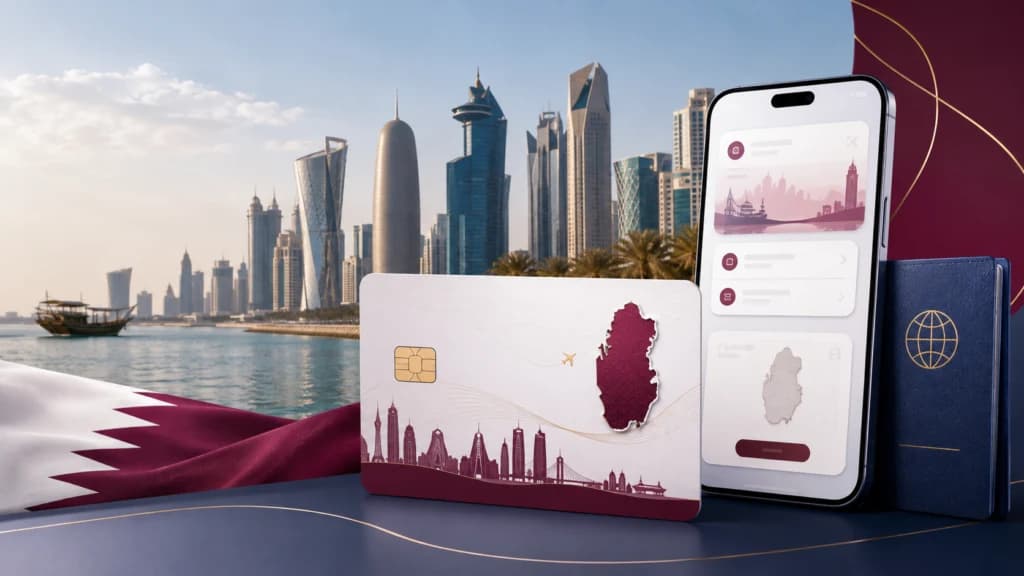
Hayya is the platform the State of Qatar uses to issue visitor e-visas. Travellers still search for the “Hayya Card” because that was the name of the digital pass issued during the FIFA World Cup 2022, but the system you will actually use in 2026 issues a Hayya E-Visa and an entry permit rather than a fan card. This guide covers the current categories, what you need, how to apply, and what happens after you submit.
Hayya is the platform the State of Qatar uses to issue visitor e-visas. Travellers still search for the “Hayya Card” because that was the name of the digital pass issued during the FIFA World Cup 2022, but the system you will actually use in 2026 issues a Hayya E-Visa and an entry permit rather than a fan card. This guide covers the current categories, what you need, how to apply, and what happens after you submit.
Last reviewed: 4 September 2026 Sources checked: Hayya Qatar (hayya.qa), Qatar Tourism, Qatar Ministry of Interior, Visit Qatar, Qatar Ministry of Public Health, Hamad International Airport. Editorial note: QatarVia is not affiliated with the Government of Qatar. Entry and visa rules change without notice. Confirm your own eligibility, fee and document requirements on the official Hayya portal or through the Ministry of Interior before you book flights or pay anything.
How do I apply for a Hayya Card in Qatar in 2026?
Create an account on hayya.qa or in the Hayya to Qatar app, verify your email, then start the “Which Hayya?” flow so the portal can match you to a category (A1, A2, A3, A4 or F1). Upload your passport page and photo, add your residency details if required, register your accommodation, submit, then pay the fee when prompted and track the application until your entry permit is issued.
Hayya Qatar Application at a Glance
Item
Current position (September 2026)
Official platform
hayya.qa and the “Hayya to Qatar” mobile app
Operated by
Qatar Tourism, with the Ministry of Interior and the Permanent Committee for Managing Visitor Entry
Visitor categories
Tourist (A1), GCC Resident (A2), Visa with ETA (A3), Companion of GCC Citizen (A4), Visa-Free for US Citizens (F1)
Do you always need it?
No. Citizens of over 102 countries are eligible for visa-free entry
Core documents at application
Passport bio page scan, personal photograph, accommodation details, residency documents where the category requires them
Accommodation
Required for most routes: hotel booking, or registration by a host in Qatar
Fee
QAR 100 for A1, A2 and A3 per Visit Qatar. Other categories and some nationalities differ. Confirm in the portal
Processing time
No published guaranteed timeframe. Apply well before travel
Tracking
“Track your E-Visa” on hayya.qa, or the My Hayya dashboard and app
Entry document
Digital Hayya E-Visa / entry permit with QR code
Health insurance
Qatar operates a mandatory visitors’ health insurance scheme (QAR 50 per month standard premium). Rules vary by entry route
What Is the Hayya Card / Hayya E-Visa in 2026?
The Hayya Card was originally the all-purpose digital and physical pass issued to ticket holders for the FIFA World Cup Qatar 2022. It combined entry permission, match access and transport benefits. That specific product ended with the tournament, and physical cards are no longer issued.
What survived is the platform. Hayya is now Qatar’s official e-visa gateway for visitors. Through one account you can apply for a visitor visa, register where you are staying, host family and friends, pre-register a vehicle for the Abu Samra land border through Hayya Move, and manage your permit before you fly.
Terminology, in plain terms:
Hayya platform: the website and app where you apply.
Hayya E-Visa: what the platform issues to you now.
Hayya entry permit: the approved document you present when you arrive.
Hayya Card: the 2022 fan product, and the name most people still type into Google.
If a page tells you to enter match ticket details or to collect a physical card, it is describing the 2022 system, not the current one.
Who Needs to Apply Through Hayya?
Not everyone. Your route depends on your nationality and, in some cases, on the residency or visas you already hold.
GCC citizens (Bahrain, Kuwait, Oman, Saudi Arabia, UAE) do not need a visa. A passport or GCC ID is sufficient.
Citizens of over 102 countries are eligible for visa-free entry to Qatar. Visit Qatar notes that “visa-free entry” is simply the current name for what used to be called visa on arrival.
Some nationalities must hold accommodation booked through the Discover Qatar platform before travelling in order to use the on-arrival route.
Everyone else applies online through Hayya before travelling.
Even travellers who qualify for visa-free entry sometimes choose to apply through Hayya anyway, because it settles accommodation and paperwork in advance and avoids queuing at the airport counters.
Check your own status on the Visit Qatar visa checker or in the Hayya “Which Hayya?” tool before assuming a fee applies to you.
Hayya is for visits and tourism, not employment. If you are moving to Qatar for a job rather than a visit, see our Qatar work visa guide instead, which covers the separate employer-sponsored process.
Which Hayya Visa Should You Apply For?
Hayya currently offers five visitor categories. Business, official, conference and transit routes are handled separately through Hayya Business.
Hayya category
Intended for
Key eligibility point
Where to apply
Tourist Visa (A1)
General tourism and short visits
Open to nationals of most countries who are not eligible for visa-free entry
hayya.qa or Hayya app
GCC Resident Visa (A2)
Expatriates resident in Bahrain, Kuwait, Oman, Saudi Arabia or the UAE
Based on your GCC residency, not your passport. Residency generally needs at least three months validity from your arrival date
hayya.qa or Hayya app
Visa with ETA (A3)
Holders of a valid visa or residence permit for the Schengen area, UK, US, Canada, Australia or New Zealand
Eligibility comes from the document you already hold, not your nationality
hayya.qa or Hayya app
Companion of GCC Citizen (A4)
A visitor travelling with a GCC citizen who sponsors them
The companion travels with the sponsor, not separately
hayya.qa or Hayya app
Visa-Free for US Citizens (F1)
Holders of US nationality
US passport holders can register through Hayya rather than processing everything on arrival
hayya.qa or Hayya app
Two updates worth knowing about:
A2 was upgraded on 30 November 2025. Qatar Tourism announced that GCC residents can now stay in Qatar for up to two months with multiple-entry access. Older guides still describing a single 30-day entry are out of date.
US citizens have two paths. Visit Qatar states that US citizens receive a visa valid for two years or until the passport expires, whichever comes first, allowing multiple entries with each stay up to 90 days. The F1 category on Hayya lets you handle registration, accommodation and insurance online in advance instead of at the counter.
Quick decision path
Work down this list and stop at the first line that describes you.
Are you a GCC citizen? You do not need a Hayya visa. Travel on your passport or GCC ID.
Are you a US citizen? Check the F1 route, and check whether the on-arrival option suits you better.
Do you live in a GCC country on a residence permit? Check A2. Your GCC residency drives eligibility, not your passport.
Do you hold a valid Schengen, UK, US, Canadian, Australian or New Zealand visa or residence permit? Check A3.
Are you travelling as a companion of a GCC citizen who will sponsor you? Check A4.
None of the above, and visiting for tourism? Check whether your nationality has visa-free entry first. If not, apply for A1.
Every one of these paths should be confirmed against the Hayya “Which Hayya?” tool, which asks for your nationality and travel method and then recommends the category the system will accept.
Hayya Card Qatar Requirements in 2026
This is where most applications go wrong, because two different sets of requirements get mixed together. Keep them separate.
Documents needed during the online application
Passport bio page scan. Colour, full page, nothing cropped off, machine-readable zone visible.
Personal photograph. Recent, colour, plain light background, face clearly visible.
Accommodation details. A hotel booking, or confirmation that a host in Qatar has registered you.
Residence permit or visa copy, if you are applying under A2 or A3. It must be valid on your date of entry.
A working email address. Every status update and the approval itself arrive by email.
Payment method, if a fee applies to your category and nationality.
Contact and emergency contact details.
Requirements that apply at travel and entry, not at application
Passport validity. Visit Qatar states the passport must be valid for at least three months from the date of arrival in Qatar for several routes. Many airlines apply a longer buffer of their own, so check with your carrier.
Return or onward ticket. Commonly requested on arrival for air travellers.
Health insurance. Qatar operates a mandatory visitors’ health insurance scheme administered through the Ministry of Public Health. The standard visitors’ premium is QAR 50 per month with emergency and accident cover up to QAR 150,000. Whether you must hold it before arrival depends on your entry route and length of stay, so confirm your own position with MOPH or the portal.
Accommodation confirmation in a form you can show at the border.
Your approved entry permit, digital or printed, with a readable QR code.
Before you start checklist
Have these open before you begin, because the session is easier to complete in one sitting:
☐ Passport, scanned or photographed clearly
☐ A suitable recent photograph saved on the same device
☐ Hotel booking reference, or confirmation your host has added you
☐ Residence permit or visa scan, if applying under A2 or A3
☐ Email address you can access immediately for the verification code
☐ Travel dates
☐ Emergency contact name and number
☐ A card that works for international payments
How to Apply for Hayya Card Qatar Online
The portal is a guided flow. Steps below reflect the current interface. Screens are occasionally reordered, so treat the on-screen instructions as authoritative.
Step 1. Go to the official portal. Open hayya.qa, or download the “Hayya to Qatar” app. Type the address directly. Search results and adverts often surface third-party agents charging a markup for a form you can complete yourself.
Step 2. Start the “Which Hayya?” flow. The homepage asks how your journey begins (flying or driving), then asks your nationality and whether you hold GCC residency or a qualifying visa. It then tells you which category applies. Do this before creating anything, because it saves you from starting the wrong application.
Step 3. Create an account or sign in. Choose sign up, enter your email, and request a verification code. The code arrives by email. Enter it, then set your name and password. Expect a verification step at each future login as well, so use an inbox you can reach while travelling.
Step 4. Select your category and reason for travel. Pick the category the tool recommended, then select the purpose of your visit from the list (leisure, visiting family, business meetings, an event, medical treatment and similar). The reason you choose should be consistent with everything else in the application.
*Common mistake:* selecting A1 when you actually qualify under A2 or A3. The categories carry different document requirements, and a mismatch is one of the most frequent causes of a correction request.
Step 5. Upload your photograph. Confirm you have read the photo instructions, then upload. The portal displays the exact file size and dimension limits on the upload screen. Follow those numbers rather than any figure you read on a blog, since they have changed before.
Step 6. Upload your passport and confirm the extracted data. Upload the bio page in full colour. The system reads the details automatically and fills the form. Check every field character by character against the passport itself, especially spelling, date of birth and passport number. If the system fails to read the page, you can enter the details manually.
*If your passport has no surname printed*, follow the portal’s on-screen guidance for that case rather than guessing, and be prepared to upload additional passport pages if prompted.
Step 7. Complete residency details. Select your country of birth and country of residence. Under A2 or A3 you upload your residence permit card or residence visa here. The document must still be valid on your planned entry date, not just on the application date.
Step 8. Add accommodation. Choose your accommodation type. If you select family and friends, your host must already have registered their residence on Hayya and added you as a guest before you reach this screen. If you are staying in a hotel, enter the property and upload your booking confirmation where the portal asks for it.
*This step delays more applications than any other.* Book and confirm accommodation before you start.
Step 9. Enter contact information. Add your mobile number and an emergency contact.
Step 10. Review and submit. Read the summary screen properly. Once submitted, changes usually require a correction cycle rather than a quick edit.
Step 11. Pay the fee if prompted. Where a fee applies, the portal sends a payment link. For A1, A2 and A3 the fee published by Visit Qatar is QAR 100. Some nationalities are exempt. Pay only through the official portal.
Step 12. Track the application. Use “Track your E-Visa” on hayya.qa or the My Hayya dashboard. Watch the email address you registered with.
Step 13. Save your approved E-Visa. On approval you receive your entry permit. Save it in the app, download a PDF, and keep a printed backup. If you print it, make sure the QR code is sharp and unmarked.
Hayya Photo Requirements
The portal shows its own current specification on the upload screen, and that is the version to follow. The advice below prevents the rejections that recur regardless of the exact numbers:
Use a recent photograph, not one from an old passport application.
Plain, light, evenly lit background with no shadow behind the head.
Face centred, head straight, eyes open and unobstructed by hair.
Neutral expression.
No sunglasses or tinted lenses. If you wear prescription glasses, your eyes must be clearly visible with no glare.
No hats or caps. A religious head covering is acceptable as long as the full face is visible.
Upload the original file rather than a screenshot or a photo of a printed photo.
Hayya Passport Requirements
Validity: Visit Qatar states a minimum of three months from the date of arrival in Qatar for several entry routes. Confirm the figure that applies to your own route and check your airline’s separate policy.
Scan quality: full colour, the entire bio page in frame, no glare, no fingers over the edges, machine-readable zone fully legible.
Data match: the name on your application must match the passport exactly, including middle names and hyphens. A mismatch between the entry permit and the passport can result in being denied boarding.
The passport you apply with must be the passport you travel on. If you renew between application and departure, contact Hayya support rather than travelling and hoping.
Hayya Accommodation Requirements
Most Hayya routes require confirmed accommodation for the length of your stay. There are two main paths:
Hotel booking. Book your stay and upload the confirmation. Some nationalities are required to book through the Discover Qatar platform in order to use the on-arrival route, so check whether that applies to you before booking elsewhere.
Host family and friends. A resident in Qatar registers their residence on the Hayya platform and invites you as a guest. This has to happen before you reach the accommodation step of your application, not after.
Accommodation is the single most common reason an application sits in a pending state. Two patterns cause it:
The booking dates do not cover the full travel period on the application.
The host has not completed their registration, so the system cannot match the invitation to your application.
Fix both before submitting rather than after.
Hayya Visa Fees in 2026
Category
Fee
Notes
Tourist Visa (A1)
QAR 100
Published by Visit Qatar. Some nationalities are exempt
GCC Resident Visa (A2)
QAR 100
Published by Visit Qatar
Visa with ETA (A3)
QAR 100
Published by Visit Qatar
Companion of GCC Citizen (A4)
Confirm in the portal
Not published as a single universal figure
Visa-Free for US Citizens (F1)
Confirm in the portal
Registration route, charges may differ from the A-series
Visitors’ health insurance
QAR 50 per month
Ministry of Public Health standard premium, separate from the visa fee
Visa fee paid at the airport
QAR 100
Applies to on-arrival routes where a fee is charged
Fees change when the Ministry of Interior or Hayya update their systems. The figure shown to you inside your own application is the one that counts. Do not pay a third party a “service fee” on top.
How Long Does Hayya Approval Take?
Hayya does not publish a guaranteed processing time, and any specific number you see on a blog is either an old official statement or an average of user reports. Neither is a commitment you can plan around.
What is reasonable to say:
Straightforward applications with clean documents and confirmed accommodation move fastest.
Anything requiring manual review, particularly accommodation validation or an unclear scan, takes longer.
Peak periods around major events in Qatar increase volume.
Apply as early as your travel dates allow, and do not book non-refundable flights on the assumption of same-week approval.
How to Check Hayya Application Status
Two options:
Track your E-Visa on hayya.qa. This is a lookup tool on the main navigation.
My Hayya dashboard, on the website or in the Hayya to Qatar app, using the email and password you registered with.
Have ready:
Your application or entry permit reference number
Your passport number
Your nationality
Check the email inbox you registered with as well, including spam. Correction requests are sent by email, and a missed email is the most common reason an application stalls with no apparent explanation.
What Do Hayya Application Statuses Mean?
Status labels can be adjusted when the platform updates. The table below reflects the labels reported by applicants and platform documentation.
Status
What it means
What you should do
Draft
Started but never submitted
Log in, complete the missing sections and submit
Pending
Submitted and under review
Wait, and watch your email. Do not start a duplicate application
Request for Correction
Something specific needs fixing, usually a document
Read the email carefully, correct only what was flagged, resubmit
Data Error
The system could not validate details you entered
Compare every field against your passport, correct and resubmit
Approved
Your E-Visa and entry permit have been issued
Download, check every detail against your passport, save a backup
Rejected
The application was not accepted
Identify the cause before reapplying. Check the official guidance on resubmission limits
Cancelled
The application is closed
Contact Hayya support before starting anything new
Hayya Application Pending: What Should You Do?
Pending means under review. It is not a fault state. Before you assume something is wrong, check the plausible causes:
Accommodation is still being validated, or your host has not finished registering their residence.
A document is being reviewed manually because the automated read was borderline.
The photograph or passport scan is unclear and a reviewer is deciding whether to request a correction.
A field is inconsistent with your uploaded documents.
An email has been sent and not seen. Check spam and promotions folders.
What not to do: submit a second application for the same traveller. Duplicates create conflicting records and can slow both. If nothing has moved and your travel date is approaching, contact Hayya support with your reference number.
Hayya Application Rejected or Correction Requested
If a correction is requested, the email or dashboard note tells you what to fix. Change only that item. Rescanning your passport at higher quality or retaking the photograph against a plain wall in daylight resolves a large share of these.
If the application is rejected, work out why before resubmitting the same content. The usual causes are a document that does not meet specification, a category that does not match your actual eligibility, accommodation that could not be validated, or a mismatch between your application data and your passport.
Check the official Hayya guidance on how many times an application may be resubmitted, since limits have been applied in the past and the current rule should come from the portal rather than from a blog. If you are unsure why a decision was made, contact Hayya support directly instead of guessing and resubmitting repeatedly.
After Your Hayya Application Is Approved
Open the approval and read it. Check name spelling, passport number, nationality, date of birth and validity dates against your passport.
Save it in the Hayya app so it is available without a signal.
Download a PDF copy to your phone and to cloud storage.
Print a backup. Confirm the QR code is clean and unfolded.
Confirm your accommodation still matches the dates on the permit.
Sort out health insurance if it applies to your route and stay length.
If any detail is wrong, do not travel on it. Contact Hayya support immediately. A permit that does not match your passport can stop you at check-in.
Physical passport, meeting the validity rule for your route
Photograph uploaded
Not required again
Accommodation details entered
Accommodation confirmation you can show
Residence permit uploaded (A2, A3)
The same residence permit, still valid
Visa fee paid online where applicable
Fee already settled, or paid at the airport on on-arrival routes
Health insurance usually not uploaded here
Proof of cover where it applies to your route
Return ticket usually not required to apply
Return or onward ticket commonly requested for air arrivals
Approval delivered by email and in the app
Entry permit shown digitally or in print, QR code readable
Common Hayya Application Mistakes to Avoid
Applying under the wrong category. Run the “Which Hayya?” tool first rather than assuming A1.
Assuming you need Hayya at all. Over 102 nationalities are eligible for visa-free entry.
Name mismatch. Enter the name exactly as printed in the passport, in the same order.
Cropped or glare-heavy passport scans where the machine-readable zone is cut off or unreadable.
Old or casual photographs, patterned backgrounds, or a photo of a photo.
Applying before the host has registered. Family and friends accommodation must be set up on the host’s side first.
Accommodation dates that do not cover the whole trip.
A residence permit that expires between application and arrival. Validity is judged at entry.
Missing the correction email, which leaves the application pending indefinitely.
Following a 2022-era guide that asks for match tickets or a physical card.
Paying a third-party agent for a form you can complete yourself on hayya.qa.
Booking non-refundable flights before approval.
Renewing the passport after applying without telling Hayya.
Travelling to Qatar by Road
If you are driving in through the Abu Samra border rather than flying, Hayya Move is the relevant service. It lets you pre-register the vehicle and arrange the required vehicle insurance in one place before you arrive, which reduces waiting at the crossing. Some requirements that apply to air arrivals, such as a return flight ticket, do not apply at the land border.
Official Hayya Contact and Support
Official portal: hayya.qa
Track your E-Visa: the tracking tool on the main hayya.qa navigation
How-to guides: published by Hayya on the portal, covering each step of the application
Mobile app: “Hayya to Qatar” on the App Store, Google Play and AppGallery
Contact centre: Hayya has published 2022 for callers inside Qatar and +974 4441 2022 for international callers, with email support at info@hayya.qa. Confirm current numbers and hours on the Hayya contact page before relying on them.
Business, official, conference and transit routes: business.hayya.qa
For questions about visa extensions and other Ministry of Interior services, use portal.moi.gov.qa or the Metrash app.
Create an account on hayya.qa or in the Hayya to Qatar app, run the “Which Hayya?” tool to identify your category, upload your passport and photograph, add residency and accommodation details, submit, pay any fee, and track until approval.
Is the Hayya Card still available in 2026?
The platform is very much active, but what it issues now is a Hayya E-Visa and entry permit rather than the 2022 fan card. Physical cards are no longer issued.
Is the Hayya Card the same as a Qatar visa?
Effectively yes for visitors. Hayya is the platform through which Qatar issues visitor e-visas and entry permits.
Which Hayya visa should tourists apply for?
Usually the Tourist Visa (A1), unless you qualify under A2 as a GCC resident, A3 through an existing Schengen, UK, US, Canadian, Australian or New Zealand visa or residence permit, or F1 as a US citizen.
How much does a Hayya visa cost?
Visit Qatar publishes QAR 100 for A1, A2 and A3. Other categories and some nationalities differ. The figure inside your own application is authoritative.
What documents are required for Hayya?
A passport bio page scan, a personal photograph, accommodation details, residence documents for A2 and A3, contact details and a payment method where a fee applies.
How long does Hayya approval take?
There is no published guaranteed timeframe. Apply well ahead of travel and avoid non-refundable bookings before approval.
How can I check my Hayya application status?
Use “Track your E-Visa” on hayya.qa, or log in to the My Hayya dashboard or app. Keep your reference number and passport number to hand.
Why is my Hayya application pending?
Most often accommodation validation, manual document review, an unclear scan, or an unanswered correction email. Check spam before assuming the system is stuck.
What should I do if Hayya requests a correction?
Read the notice, fix only the flagged item, and resubmit through the same application rather than starting a new one.
Can a Hayya application be rejected?
Yes. Document quality, category mismatch, unvalidated accommodation and data inconsistencies are the common causes. Check the portal for the current rules on resubmission.
Do I need accommodation before applying?
For most routes, yes. Either a confirmed booking or a host in Qatar who has already registered you.
Do I need health insurance for Qatar?
Qatar operates a mandatory visitors’ health insurance scheme through the Ministry of Public Health, with a standard premium of QAR 50 per month. Whether you must arrange it before arrival depends on your entry route and length of stay, so confirm your own position.
Do children need separate Hayya applications?
Requirements differ for minors and adults, and the portal handles dependants differently from independent applicants. Follow the on-screen guidance for your family group rather than assuming.
Can GCC residents apply through Hayya?
Yes, under the A2 category. Since 30 November 2025 the A2 allows stays of up to two months with multiple entries.
Can GCC citizens enter Qatar without Hayya?
Yes. Citizens of Bahrain, Kuwait, Oman, Saudi Arabia and the UAE do not require a visa and can enter on a passport or GCC ID.
Can I apply for Hayya from outside Qatar?
Yes. The platform is designed for applications submitted before travel, from anywhere.
Do I need to print my Hayya E-Visa?
A digital copy in the app is generally sufficient, but carrying a printed backup with a clean, readable QR code costs nothing and covers you if your phone fails.
Can I work in Qatar using a Hayya visitor visa?
No. Hayya visitor routes are for visits, tourism and permitted short-term purposes. Employment requires sponsorship and a work residence permit.
Where is the official Hayya website?
hayya.qa. Type it directly. Paid adverts and lookalike domains frequently sit above it in search results.
I’m Sheikh Baber Ali, a writer and editor at QatarVia. I’m naturally curious about how things work and enjoy digging into the details behind the questions people have about living, working, and getting around in Qatar. My approach is simple: research carefully, check the details, and explain things the way I’d want someone to explain them to me. I’m always looking for useful stories, changing information, and practical details worth sharing with our readers.