
Metrash2 Qatar: Complete Guide to Registration, Services, OTP & Common Errors
Metrash2 was discontinued on 1 March 2025 and replaced by the Ministry of Interior's Metrash app. This guide covers downloading the genuine app, registration, OTP problems, mobile numbers not in your name, services, the E-wallet and common errors.
Quick Answer
Metrash2 was discontinued on 1 March 2025. Qatar residents and citizens now use the official Metrash app published by the Ministry of Interior. Download it from Google Play or the App Store, register with your Qatar ID and a mobile number in your own name, verify by SMS, and then use it for traffic, residency, visa, certificate and document services.
- Delete Metrash2 if it is still on your phone
- Install Metrash from Google Play or the App Store, checking the developer is the Ministry of Interior, Qatar
- Register with your QID and the personal details the app requests
- Verify your mobile number with the SMS code sent to the number linked to your QID
- Set your password or PIN, then open your profile to check your details
On this page
- Metrash Qatar at a glance
- What is Metrash?
- Is Metrash2 still working?
- How to download the official Metrash app
- Who can register for Metrash?
- How to register for Metrash
- Metrash OTP explained
- Metrash OTP not received: causes and fixes
- "Mobile number not registered" error
- How to change your Metrash mobile number
- Metrash Secondary Subscription
- Using Metrash on a new phone or a second device
- Metrash login and password problems
- Metrash services in Qatar
- Metrash digital wallet
- Payments in Metrash
- Common Metrash errors and fixes
- Metrash not working? Check in this order
- How to contact MOI about Metrash
- Security and scam prevention
- Metrash app vs the MOI website
- About this guide
If you searched for Metrash2 Qatar, the app you are looking for no longer exists. Metrash2 was discontinued on 1 March 2025. Qatar's current Ministry of Interior app is called Metrash. It is published by the Ministry of Interior (MOI), it is free, and it is where residents and citizens now handle traffic, residency, visa and document services from a phone.
This guide covers the current app only: how to download the genuine version, how registration and SMS verification work, why OTP codes fail to arrive, what to do when your mobile number is not in your name, and how to fix the errors people actually run into. Where something is official, we say so and link the source. Where it is not published anywhere official, we say that too.
Metrash Qatar at a glance
| Detail | Current position (checked 4 October 2026) |
|---|---|
| Current app name | Metrash (shown as METRASH in both app stores) |
| Old app name | Metrash2 |
| Old app status | Discontinued from 1 March 2025, according to MOI's announcement |
| Operator | Ministry of Interior, State of Qatar |
| Who it is for | Citizens and residents of Qatar, per the official store listing |
| Cost | Free to download and use for individuals. Individual MOI services carry their own fees. |
| Platforms | Android 10 or later and iOS 13 or later, the minimums MOI gave when Metrash2 was retired |
| Main requirement | A valid Qatar ID and a Qatar mobile number that the app can verify by SMS |
| Services | The store listing says more than 400 MOI services. MOI's December 2024 launch announcement cited more than 440. |
| Languages | Arabic, English, French, Spanish, Hindi and Urdu, per the Google Play description |
| Official documents wallet | Yes, described in the listing as an E-wallet for official documents |
| Payment options | Card payments, plus Apple Pay, which MOI added at launch |
| Official contact | MOI general line 2367111; MOI Information Systems Department 2342000 (it@moi.gov.qa) |
What is Metrash?
Metrash is the Ministry of Interior's official smartphone app for personal government transactions in Qatar. Once your account is verified, it lets you apply, pay and receive documents for many MOI services without visiting a service centre.
The current Google Play listing describes it as offering citizens and residents access to more than 400 MOI services covering traffic, citizen, resident and visa-related transactions, delivered as a free and encrypted service with an E-wallet for official documents. In practice, Metrash is where people renew a residence permit, pay traffic violations, renew a vehicle's Istimara, apply for a Police Clearance Certificate, book some service-centre appointments and keep digital copies of their documents.
Metrash is tied to you. Everything in it is linked to your Qatar ID and the records MOI holds for you, your dependants and, where relevant, your vehicles. That is the main difference from the MOI website, where many inquiries are public lookups that anyone can run with a reference number.
Is Metrash2 still working?
No. Metrash2 stopped working from 1 March 2025, and MOI replaced it with the new Metrash app. If Metrash2 is still on your phone, it will not let you complete transactions. Delete it and install Metrash from the official store.
MOI launched the new app in December 2024 (Apple's records show its first release on 16 December 2024) and ran both apps side by side for about two and a half months. In February 2025 the ministry announced that Metrash2 would be discontinued starting 1 March 2025 and urged residents to download the new application to continue using MOI e-services. It also set minimum operating systems of iOS 13 and Android 10 (Android API level 29) for the new app.
Two practical consequences follow. First, any guide that shows Metrash2 menus, a 4-digit PIN screen or a two-code activation flow is describing retired software. Second, there is no legitimate way to bring Metrash2 back. Websites or APK files that claim to restore it are not from MOI and should be avoided.
| Feature | Metrash2 | Current Metrash |
|---|---|---|
| Status | Discontinued from 1 March 2025 | Active and updated (Android update 17 September 2026; iOS version 1.2.5, 27 September 2026) |
| Store name | Metrash2 | METRASH |
| Services | MOI described the previous app as having more than 330 services | More than 400 per the store listing; more than 440 per MOI at launch, including about 100 new services |
| Authorisation | Not part of Metrash2 | Personal authorisation, family authorisation and, since 2026, relative registration |
| Appointments | Not part of Metrash2 | Appointment booking, announced by MOI as a new service |
| Profile and address | Not part of Metrash2 | Profile functions and address management for document delivery, announced as new |
| Payments | Card payments | Card payments plus Apple Pay |
| Device minimum | Older devices supported | iOS 13+ and Android 10+ |
The rows above are limited to differences MOI announced or the stores show. We have not listed interface details, because the app's screens have changed several times since launch.
How to download the official Metrash app
Download Metrash only from Google Play or the Apple App Store, and check that the developer is the Ministry of Interior, Qatar, before you install. Never install it from a website, a WhatsApp link or an APK file.
Android
- Open Google Play and search for Metrash, or use the official Google Play listing.
- Confirm the app name is METRASH and the developer is Ministry Of Interior - Qatar.
- If you want to be certain, check the address bar on the web listing: the package ID is qa.gov.moi.metrash.
- Install, then open the app while connected to the internet.
iPhone
- Open the App Store and search for Metrash, or use the official App Store listing.
- Confirm the developer is Ministry of Interior - Qatar.
- Check your iPhone runs iOS 13 or later. The current version is a large download, a little over 200 MB, so use Wi-Fi if your data allowance is tight.
Fake Metrash apps and websites
Search results include sites with "Metrash" in the domain name. None of them is an MOI service, and some of them ask for QID numbers or payment details. MOI's own pages sit on moi.gov.qa, and the app comes only from the two official stores. If you are unsure, start from the MOI portal rather than a search result.
Who can register for Metrash?
You need a valid Qatar ID and a Qatar mobile number that can receive the app's verification SMS. The store listing describes Metrash as a service for citizens and residents, so it is built around people who already hold a QID.
- Qatar ID: registration is linked to your QID and the personal details MOI already holds, such as your date of birth.
- Mobile number: MOI press coverage in August 2026 noted that activation had required a mobile number linked to the user's Qatar ID. For the related SMS service, MOI's terms say the number must be registered with the mobile operator in the requester's name.
- Device: Android 10 or later, or iOS 13 or later.
- Signal: you must be able to receive SMS on that number when you register.
Can you use Metrash without a QID? Not for a personal account, as far as any official source shows. Visitors and new arrivals whose residence permit has not been issued yet cannot register for themselves. Their sponsor handles their transactions from the sponsor's own Metrash account, and once the QID is issued they can register in their own right. MOI has not published a minimum age for Metrash, so we do not state one.
How to register for Metrash
Install the official app, choose your language, enter your QID and the personal details it asks for, verify your mobile number with the SMS code, then set your login credentials. The app guides each step on screen.
- Install the genuine app from Google Play or the App Store, as described above.
- Choose your language. The listing names Arabic, English, French, Spanish, Hindi and Urdu.
- Select the registration option rather than login if this is your first time on the new app.
- Enter your QID number and the personal details requested. Competitor guides mention date of birth and mobile number; enter exactly what MOI holds for you.
- Verify your mobile number with the one-time code the app sends by SMS. Enter it promptly, and only in the app.
- Create your password or PIN as instructed, and accept the terms.
- Turn on biometric login (fingerprint or Face ID) if the app offers it on your device. It is optional.
- Open your profile and check that your personal details, dependants and vehicles appear correctly.
Button labels and the order of screens have changed between versions, so treat this as an outline and follow the words the app shows you. MOI has not said publicly whether every Metrash2 user had to register again on the new app, and reports from users vary, so if your old login does not work, go through registration on the new app.
About the 92992 activation SMS
Older Metrash and Metrash2 activation guides tell you to send an activation message to 92992. That instruction dates from the Metrash2 era, and we found no current MOI source confirming it for the new app. Registration screens change, so follow the instruction displayed by the current official Metrash app rather than an old activation guide. If the app itself asks you to send an SMS, do it from the phone that holds the SIM you are registering.
Metrash OTP explained
The Metrash OTP is a one-time verification code sent by SMS to the mobile number linked to your account. It proves that the person registering, or logging in on a new device, also holds that phone.
- Where it goes: to the registered number, not to whichever phone you are holding. If you are installing Metrash on a new phone but your SIM is in the old one, the code goes to the old one.
- When it is needed: at registration, on a new or reinstalled device, and for some sensitive actions.
- Why codes expire: each code is valid for a short period and only for the request that generated it. MOI does not publish the exact time. The "10 minutes" figure online comes from a 2016 Metrash2 article.
- Why an old code fails: requesting a new code makes the previous one useless. Always use the most recent SMS.
- Why repeated attempts fail: security systems commonly pause verification after several failed or rapid requests. If that happens, wait before trying again instead of tapping resend repeatedly.
Metrash OTP not received: causes and fixes
An OTP that never arrives usually means the code is going to a different number than you expect, your number is not registered in your name, or the phone cannot receive SMS at that moment. Work through the table below from top to bottom.
| Problem | Likely cause | What to check | Recommended action |
|---|---|---|---|
| No SMS at all | The number on record differs from the SIM in your phone | Which number is linked to your QID with MOI | Register or update the number linked to your QID (see the sections below) |
| SMS goes to someone else | Your line is registered to your employer, spouse or sponsor | Who the SIM is registered to with Ooredoo or Vodafone | Transfer the line into your own name, or ask your sponsor to use relative registration |
| No SMS after changing SIM | The new SIM, or a ported number, is not yet linked to you | That the new line is registered in your name | Allow time for records to update, then retry |
| No SMS on a new line | Brand new lines may not be reflected in MOI records straight away | Line activation date | Retry later. MOI states its separate SMS subscription takes 24 hours to activate. |
| Code arrives late | Weak signal or network delay | Signal strength; whether other SMS arrive | Move to better coverage and request one new code |
| Abroad and no code | SMS roaming disabled or unreliable | Roaming status with your operator | Enable roaming SMS, or register once back in Qatar |
| SMS filtered | Spam filtering or blocked senders | Your messages app's spam or unknown-senders folder | Unblock the sender and check filtered folders |
| Dual-SIM phone | The code went to the other SIM slot | Both SIM inboxes | Keep the registered SIM active while registering |
| "Invalid code" | Old, expired or mistyped code | That you used the latest SMS | Request one new code and enter it immediately |
| Details rejected | QID or date of birth typed incorrectly, or the QID has expired | Your QID card and its expiry date | Correct the entry. If the QID has expired, check your Qatar ID status first. |
| Too many attempts | Temporary verification block | Whether the app shows a wait message | Wait before trying again. MOI does not publish how long a block lasts. |
| Still nothing | Temporary MOI system issue or an account-level problem | Whether others report the same issue | Try later, then contact MOI (see Contact MOI) |
How to read this table: the number-ownership rows reflect MOI's own published rule for Metrash SMS. Signal, roaming, spam filtering and dual-SIM rows are ordinary phone troubleshooting. We have deliberately left out community workarounds such as using someone else's SIM, which can lock you out or give another person access to your account.
"Mobile number not registered" error
This error usually means the number you entered is not linked to your QID in the records Metrash checks, most often because the SIM is registered to someone else.

MOI's Metrash for Individuals page sets the rule plainly for its SMS service: the mobile number that receives the messages must be registered with the mobile service provider in the name of the person requesting the service. Many residents in Qatar use lines registered to an employer, a spouse or a sponsor, and that is where the problem starts.
| Your situation | What to do |
|---|---|
| Line registered to your employer | Ask the company, or your telecom operator, about transferring the line into your own name with your QID. |
| Line registered to your spouse or sponsor | Either transfer the line into your name, or ask the sponsor to add you through relative registration in their Metrash account (explained below). |
| Line registered to another person | Get a line in your own name. Using a code sent to another person's phone gives them control over your verification. |
| Recently transferred into your name | Allow time for the change to reach MOI records before retrying. |
| Newly activated line | Retry after a short wait, and confirm with Ooredoo or Vodafone that the line is registered against your QID. |
A transfer at the telecom operator does not guarantee that Metrash accepts the number immediately. If it still fails after a reasonable wait, check with your operator that the registration is complete, then contact MOI.
Relative registration for spouses and children
In August 2026, MOI highlighted a Metrash feature for family members whose lines are in the sponsor's name. According to the Gulf Times report of 13 August 2026, the sponsor opens the app's main menu, selects Delegation, then Relative Registration, and enters the relative's QID number, mobile number and ID expiry date before tapping Add. The report describes it as intended for spouses and children without a mobile number registered in their own name. MOI has not published further conditions, so check the requirements shown in the app.
How to change your Metrash mobile number
MOI's website offers a Change Number option for the Metrash SMS service on its Metrash for Individuals page. You enter your QID, the new mobile number and your date of birth, then confirm with an SMS code.
This needs a careful distinction, because most guides blur it. The MOI website's Metrash subscription pages manage the SMS alerts that MOI sends about your documents. The Metrash mobile app is the smartphone platform for MOI transactions. They share a name, and both depend on a number in your name, but MOI does not state that changing the SMS subscription number also changes the number on your app account.
Changing the SMS subscription number on the MOI website
- Open the Metrash for Individuals page on the MOI portal.
- Choose Change Number.
- Enter your QID number (up to 11 digits), the new mobile number (8 digits) and your date of birth, then choose Arabic or English.
- Complete the picture or audio verification code.
- Enter the verification code MOI sends by SMS to confirm.
The new number must be registered with your operator in your own name. MOI's terms say the SMS service is activated 24 hours after a subscription request. The page also notes that alerts cover your dependants under 18 and people you sponsor, with document expiry alerts sent 14 days before expiry.
Changing the number on your app account
Check your profile in the Metrash app first, since the app has its own profile functions. If the app will not let you change the number, or you cannot log in because the old number no longer works, contact MOI or visit an MOI service centre with your QID. We could not confirm an official self-service route for this case, so we do not describe one.
Metrash Secondary Subscription
Secondary Subscription lets a Metrash SMS subscriber add one other person's number to co-receive their Metrash SMS messages. It is managed on MOI's Secondary Subscription page.
- Purpose: MOI describes it as making life easier for people living with a disability or old age. A co-receiver might be a son, a daughter, a sibling or a personal secretary.
- Who can be a co-receiver: anyone with a valid QID and a mobile number registered with the service provider.
- Limits: each service owner can register only one co-receiver. A person can be co-receiver for several service owners, but nobody can add themselves.
- Process: the page has Subscribe, Change Number and Unsubscribe options for both the service owner and the additional number. Each gives a QID, mobile number and date of birth, and an OTP activates the co-receiver.
This is not the same as using Metrash on a second phone. A co-receiver gets copies of SMS alerts. It does not give them access to the account owner's app, and it does not add a second device to anyone's login.
Using Metrash on a new phone or a second device
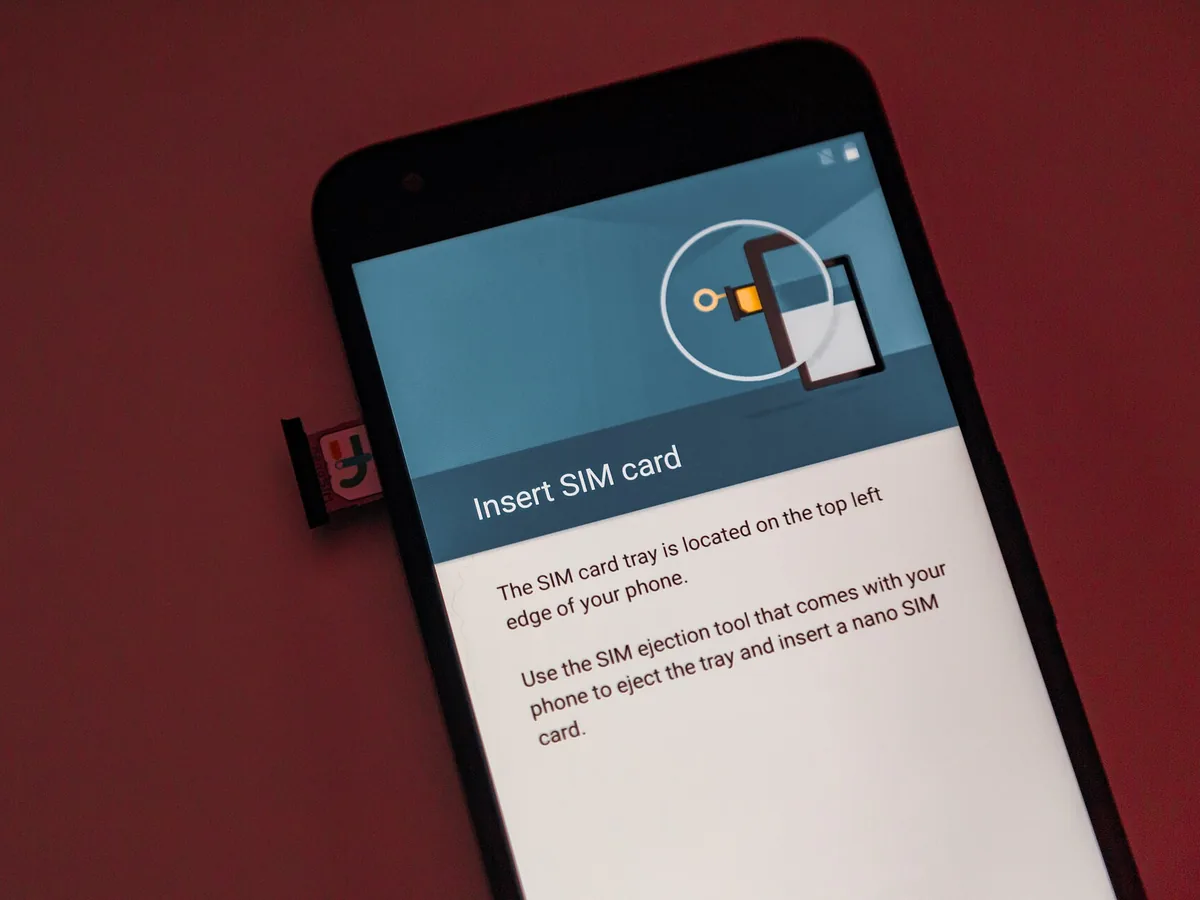
On a new phone, install the official app, log in with your credentials and confirm the OTP sent to your registered number. Move your SIM first if the number is staying the same, so the code reaches the phone you are holding.
| Scenario | What to expect |
|---|---|
| New phone, same SIM | Move the SIM, install Metrash, log in and verify with the OTP. |
| New phone, different number | Make sure the new number is in your name and linked to your QID before you start. Otherwise the OTP goes to the old number. |
| Lost or stolen phone | Suspend the SIM with your operator immediately. Get a replacement SIM on the same number before logging in elsewhere. If you think someone else could use your account, contact MOI. |
| Reinstalling the app | You will need to log in and verify again. Biometric login usually has to be set up again on the new install. |
| Second phone at the same time | MOI does not publish how many devices can stay logged in at once. Each new device needs OTP verification, and logging in on one may affect another. |
Older guides claim a fixed two-device limit, citing a 2016 Metrash2 article. That article described the old activation process and did not set a device limit for the current app.
Metrash login and password problems
- Wrong password or PIN: check the keyboard language and caps lock. Several failed attempts can lock access temporarily, so pause rather than guessing repeatedly.
- Forgotten password: look for the forgotten password option on the login screen and follow the steps shown. Expect to verify by SMS on your registered number, so keep that SIM to hand.
- Account locked: wait and try later. If it remains locked, contact MOI.
- OTP requested again: normal after reinstalling, updating, changing device or a long period of inactivity.
- Biometric login not working: log in with your password, then turn biometric login off and on again in the app. Some App Store reviews report Face ID freezing on the welcome screen; updating the app is the first step.
- App closes or stays on the loading screen: update the app, check your connection, force-close and reopen, and restart the phone.
Some users report the message that their device does not meet the minimum security requirements. MOI has not published what triggers it. Phones with modified system software, outdated operating systems or certain developer settings are common causes for this message in government and banking apps. Update the phone's software, and do not try to bypass the check.
Metrash services in Qatar
Metrash covers traffic, residency, visa, citizen, certificate, appointment, authorisation and document services, with more than 400 transactions in total according to the store listing. What you see depends on who you are: citizens, residents, sponsors, company representatives and vehicle owners each get different options.
| Category | Examples | Who may use it | Related QatarVia guide |
|---|---|---|---|
| Traffic | Pay violations, renew vehicle registration, licence services, report minor accidents | Drivers and vehicle owners | Qatar traffic fine check |
| Residency | Residence permit renewal, dependants' permits, passport detail updates | Residents and sponsors | Qatar ID renewal |
| Visa | Visa applications, including passport scanning to fill in applications | Sponsors and employers | Qatar family visit visa |
| Certificates | Issue, reprint and share certificates | Residents and citizens | Police Clearance Certificate |
| Appointments | Book some service-centre appointments | Depends on the service | Duhail immigration office |
| Authorisation | Personal authorisation, family authorisation, relative registration | Account holders and sponsors | See the sections above |
| Profile and address | Profile details, address management for document delivery | All account holders | None |
| E-wallet | Digital copies of official documents | All account holders | None |
| Citizen and GCC services | Citizen-specific services; GCC national ID renewal and replacement | Qatari citizens; GCC nationals | None |
| Inquiries | Inquiries including, since 2026, the Coasts and Borders Security directorate | Depends on the inquiry | None |
Traffic services
Traffic is the most-used part of Metrash for many residents. You can view and pay violations recorded against you or your vehicles, which is the quickest way to check and pay Qatar traffic fines. Vehicle owners can renew their Istimara once the vehicle has passed its technical inspection and has valid insurance. Licence services are here too, and our Qatar driving licence guide explains where Metrash fits into getting a licence.
Residency services
Metrash handles residence permit transactions for yourself and the people you sponsor. If your actual goal is to extend an expiring permit, see our step-by-step guide to Qatar ID renewal. In August 2026, MOI also added a Metrash service for sponsors to approve an employer change and to request an exemption from the legal period outside Qatar. If an online residency transaction cannot be completed, it moves to an MOI counter; the Duhail immigration office page lists which department handles it in person.
Visa services
Sponsors use Metrash for visa applications, and the new app added passport scanning to fill in applicant details. Eligibility, required documents and fees depend on the visa type and on your sponsorship status, and the app checks these against your record.
Certificates and documents
Certificates can be issued, reprinted and shared from the app. The Good Conduct Certificate is one of the most requested, and our guide explains how to get a Police Clearance Certificate in Qatar, including when the online route is not enough.
Appointments and authorisation
Appointment booking arrived with the new app, but not every service offers it. Open the service in Metrash and see whether a slot is offered before travelling. Personal authorisation lets you delegate specified transactions to another person, optionally for a set period, and family authorisation covers transactions for family members.
Metrash digital wallet
The Metrash E-wallet shows digital copies of your official MOI documents, such as your Qatar ID, driving licence and vehicle registration, inside the app.
The Google Play listing describes the E-wallet as the way to reach your official documents. Which documents appear depends on what MOI has issued to you; a missing document is usually missing because it is not issued, has expired or is still being processed.
When MOI introduced the wallet in 2021, under Metrash2, it said the digital copies were for use in Ministry of Interior transactions in the first stage. MOI has not published a current statement that the digital QID replaces the physical card in every situation. Banks, employers, hospitals and other organisations set their own rules, so carry your physical QID when you need to prove your identity.
Payments in Metrash
Metrash accepts card payments for MOI fees, and MOI added Apple Pay as a payment option when the new app launched in December 2024. We found no official confirmation of Google Pay.
- Each service has its own fee. Metrash itself is free; the amount on the payment screen is the fee for that particular transaction.
- Check before you pay that the service, the person and the vehicle or document are the right ones.
- Save the confirmation as a screenshot, and note any reference number.
- If a payment is uncertain, do not pay again straight away. If money left your account but the transaction does not show as complete, wait, check the service status in the app, and check with your bank before retrying, to avoid paying twice.
Common Metrash errors and fixes
MOI does not publish a list of Metrash error codes, so this table describes problems by what you see rather than by code. Official guidance comes first where it exists; the rest is safe general troubleshooting.
| What you see | Likely reason | What to do |
|---|---|---|
| Metrash2 does not open or work | Metrash2 was discontinued on 1 March 2025 | Delete it and install Metrash from the official store |
| OTP not received | Number mismatch, ownership, signal or filtering | Use the OTP table above |
| Invalid OTP | Old, expired or mistyped code | Request one new code and enter it promptly |
| Mobile number not registered | The SIM is not in your name or not linked to your QID | Transfer the line, or use relative registration through your sponsor |
| QID not recognised | Typing error, expired QID or a new QID not yet active | Check the card; check the QID status |
| Login failed | Wrong credentials or a temporary lock | Pause, then use password recovery on the login screen |
| Stuck on loading screen | Connection, outdated app or a service issue | Update, switch between Wi-Fi and mobile data, restart |
| App crashes | Outdated app or phone software | Update both. Reinstall only if you have your SIM to verify again. |
| Device does not meet security requirements | Device security check failed | Update the phone's software; do not try to bypass the check |
| "Device incompatible" in the store | Below Android 10 or iOS 13 | Use a supported phone, or the MOI website for services offered there |
| A service is missing | Not available to your user type, or not offered in the app | Check eligibility; check the MOI e-services portal |
| Cannot upload a document | File too large or in an unsupported format | Reduce the file size and use the format requested |
| Payment failed | Card declined or connection dropped | Check with your bank before trying again |
| Payment taken, transaction unclear | Status not yet updated | Do not pay twice; keep the receipt; contact MOI if it does not update |
| Document missing from the wallet | Not issued, expired or still processing | Check the document's status first |
| Information not updated | Records are still syncing after a change | Allow time, then contact MOI if it persists |
| Temporary system error or service unavailable | Maintenance or a service outage | Try later, especially outside peak hours |
Metrash not working? Check in this order
- Confirm you are using the current Metrash app, not Metrash2.
- Confirm the developer is the Ministry of Interior, Qatar.
- Update the app from Google Play or the App Store.
- Check your internet connection, and try switching between Wi-Fi and mobile data.
- Force-close and reopen the app.
- Restart your phone.
- Check that your QID is valid and your mobile number is registered in your name.
- If MOI services are down, try again later.
- Use the MOI e-services portal if the service you need is offered there.
- Contact MOI if the problem persists.
On Android you can also clear the app's cache from the phone's Settings, under Apps. iPhones have no equivalent cache option; offloading or reinstalling the app is the nearest thing. Neither fixes account-level problems such as a number mismatch, and reinstalling means verifying by OTP again.
How to contact MOI about Metrash
MOI's contact page lists the general line 2367111 and info@moi.gov.qa. It also lists the Information Systems Department, which runs MOI's IT systems, on 2342000 and it@moi.gov.qa. The 2342000 number is widely quoted as the Metrash helpline, but MOI labels it as the Information Systems Department rather than a dedicated Metrash line. The app's store listings give the developer contact ideveloper@moi.gov.qa.
MOI does not publish hours for e-services support, so we do not describe it as round-the-clock. For problems that need your documents checked, such as a number linked to the wrong person, an MOI service centre with your QID is the reliable route.
Security and scam prevention
- Never share your Metrash OTP with anyone, including people who say they are from MOI, a bank or a typing centre. A real official will not ask for it.
- Never share your password or PIN.
- Never give card details to someone offering to activate or fix Metrash for you.
- Do not install APK files or apps from outside Google Play and the App Store.
- Ignore anything calling itself a "Metrash2 portal". Metrash2 no longer exists.
- Check the developer before installing: Ministry of Interior, Qatar.
- Use official domains: MOI's pages are on moi.gov.qa.
- Do not tap links in unexpected SMS or WhatsApp messages about fines, residency or Metrash. Open the app yourself instead.
QatarVia is an information website. We never ask for QID numbers, Metrash passwords, OTPs or bank card details, and we cannot access or fix anyone's Metrash account.
Metrash app vs the MOI website
| Metrash app | MOI website | |
|---|---|---|
| Installation | App from Google Play or the App Store | No installation; use a browser |
| Account | QID-linked account verified by SMS | Public inquiries need no login; personal e-services need a login |
| Public inquiries | Available | Available, for example traffic violations and QID status |
| Personal transactions | Most individual MOI transactions | Many e-services, depending on the transaction |
| Notifications | In-app notifications | Metrash SMS subscription pages manage SMS alerts |
| Payments | Card and Apple Pay | Online card payment for e-services |
| Mobile experience | Designed for phones | Usable in a browser on any device |
| When the other fails | Use the website for services it offers | Use the app for transactions only available there |
About this guide
Last reviewed: 4 October 2026. We checked the MOI Metrash pages, the MOI contact page, both official app store listings and MOI announcements reported by Gulf Times, The Peninsula and Qatar Tribune. We have not tested transactions inside the app for this guide, and we describe steps only where an official source or the app's published information supports them.
Corrections: MOI updates Metrash frequently. If something here no longer matches the app, tell us and we will check it against official sources and update the page, with a new review date.
Image credits: the featured image, a smartphone photographing the Doha skyline, is by ResDigital18 via Wikimedia Commons, licensed under CC BY-SA 4.0 and cropped. Credits for the other photographs appear in their captions. None of the images is an MOI image or shows the Metrash interface.
Independent website: QatarVia is independent and is not affiliated with the Ministry of Interior or any Qatar government body. Where this guide and an official MOI source disagree, the MOI source is correct.
Official Sources
- Metrash on Google Play (opens official source in a new tab)Official listing by Ministry Of Interior - Qatar (package qa.gov.moi.metrash): more than 400 services, free for individuals, six languages and E-wallet. Updated 17 September 2026.
- Metrash on the Apple App Store (opens official source in a new tab)Official listing by Ministry of Interior - Qatar. Requires iOS 13.0 or later; first released 16 December 2024; version 1.2.5 released 27 September 2026.
- MOI: Metrash subscription services (opens official source in a new tab)MOI hub for Metrash for Individuals, Metrash for Companies and Metrash Secondary Subscription.
- MOI: Metrash for Individuals (opens official source in a new tab)Subscribe, Change Number and Unsubscribe for Metrash SMS, including the rule that the number must be registered in the requester's name and the 24 hour activation term.
- MOI: Metrash Secondary Subscription (opens official source in a new tab)Rules for adding one co-receiver of Metrash SMS messages, with OTP activation.
- MOI: Contact us (opens official source in a new tab)MOI general line 2367111 and the Information Systems Department on 2342000 (it@moi.gov.qa).
- The Peninsula: Old Metrash2 app to be discontinued (16 February 2025) (opens official source in a new tab)MOI announcement that Metrash2 would be discontinued starting 1 March 2025, with iOS 13 and Android 10 minimums.
- Gulf Times: Ministry of Interior unveils new Metrash app (17 December 2024) (opens official source in a new tab)Launch report: more than 440 services including about 100 new, authorisation, appointments, certificates and Apple Pay.
- Gulf Times: Metrash eases access for relatives (13 August 2026) (opens official source in a new tab)MOI-highlighted Relative Registration under Delegation for family members whose lines are in the sponsor's name.
Frequently Asked Questions
Is Metrash2 still available in Qatar?
No. MOI discontinued Metrash2 from 1 March 2025. The current app is called Metrash, published by the Ministry of Interior on Google Play and the App Store.
What is the new Metrash app called?
Simply Metrash, shown as METRASH in the stores. On Google Play the developer is Ministry Of Interior - Qatar and the package ID is qa.gov.moi.metrash.
Why is Metrash2 not working?
Because it was retired on 1 March 2025. Delete it and install the current Metrash app. Websites or APK files claiming to restore Metrash2 are not official.
How do I register for Metrash in Qatar?
Install the official app, choose a language, select registration, enter your QID and the personal details requested, verify your mobile number with the SMS code, then set your login. Follow the wording on screen, because labels change between versions.
Do I need a Qatar ID to use Metrash?
Yes, for a personal account. Registration is linked to your QID. Visitors and new arrivals without a QID rely on their sponsor's Metrash account until their residence permit is issued.
Why am I not receiving my Metrash OTP?
Usually because the code is going to the number linked to your QID rather than the SIM in your hand, because the line is not registered in your name, or because of signal, roaming or spam filtering. Request one new code, check the right SIM, and confirm the line is in your name.
What should I do if Metrash says my mobile number is not registered?
Check with Ooredoo or Vodafone who the line is registered to. If it belongs to your employer or sponsor, transfer it to your own name, or ask your sponsor to add you through Delegation and Relative Registration in their Metrash app.
How do I change my Metrash mobile number?
For the Metrash SMS service, use Change Number on MOI's Metrash for Individuals page with your QID, the new number and your date of birth, and confirm by SMS. MOI does not state that this changes the number on your app account. If you cannot update the number in the app, contact MOI or visit a service centre.
Can I use Metrash on two phones?
MOI does not publish a device limit. Each new device needs OTP verification on your registered number. Claims of a fixed two-device limit come from old Metrash2 articles.
What is Metrash Secondary Subscription?
An MOI service that adds one co-receiver for a subscriber's Metrash SMS alerts, intended for people who need help because of disability or old age. It does not give access to the subscriber's app.
Can I pay traffic fines and renew my Istimara through Metrash?
Yes. Traffic violations can be paid in Metrash, and vehicle registration can be renewed once the vehicle has passed inspection and has valid insurance.
Is the Metrash app free?
Yes. MOI describes Metrash as free for individuals. Each service you complete in it, such as a renewal or certificate, has its own fee.
Does the digital QID in Metrash replace my physical card?
MOI has not published a current statement saying it does in every situation. Carry your physical QID when an organisation asks for proof of identity.
How do I contact MOI if Metrash does not work?
MOI's contact page lists the general line 2367111 and the Information Systems Department on 2342000 (it@moi.gov.qa). For account problems involving your number or records, visit an MOI service centre with your QID.
Written by
Sheikh Baber AliI’m Sheikh Baber Ali, a writer and editor at QatarVia. I’m naturally curious about how things work and enjoy digging into the details behind the questions people have about living, working, and getting around in Qatar. My approach is simple: research carefully, check the details, and explain things the way I’d want someone to explain them to me. I’m always looking for useful stories, changing information, and practical details worth sharing with our readers.
View all guides by Sheikh Baber Ali →Related guides

Tawtheeq (National Authentication System) Qatar: How to Register & Fix Login Issues
Tawtheeq is Qatar's National Authentication System (NAS), the single login for many government e-services. This guide covers registration fo
Philippine Embassy Qatar & POLO-OWWA: Services, Appointment & Requirements
The Philippine Embassy, MWO and OWWA are three separate offices in Doha with different addresses and different booking rules. Passports need
Indian Embassy Qatar: Services, Timings, Appointment & Passport Renewal Guide
The Embassy of India in Doha runs a walk-in consular service with no appointment system, and every passport application starts online on the